Quick answer: An effective ChatGPT prompt for teachers spells out the subject, grade, lesson, objective, time and output format, and tells ChatGPT to stick to the textbook or materials you provide. Below are more than 25 prompt templates for writing lesson plans, creating tests and test blueprints, writing student comments and drafting letters to parents. Teachers should review everything AI produces before using it in class.
AIToolNest put this set of ChatGPT prompts for teachers together for everyday classroom work. It works with ChatGPT and other AI assistants such as Gemini and Claude. Plan and feature details were checked on OpenAI’s official website as of October 2026.
Updated: October 24, 2026
Contents
- A formula for writing ChatGPT prompts for teachers
- ChatGPT prompts for lesson plans
- Prompts for tests and test blueprints
- Prompts for classroom activities and differentiation
- Prompts for student comments and parent communication
- A safe workflow for using ChatGPT in teaching
- Frequently asked questions
A formula for writing ChatGPT prompts for teachers
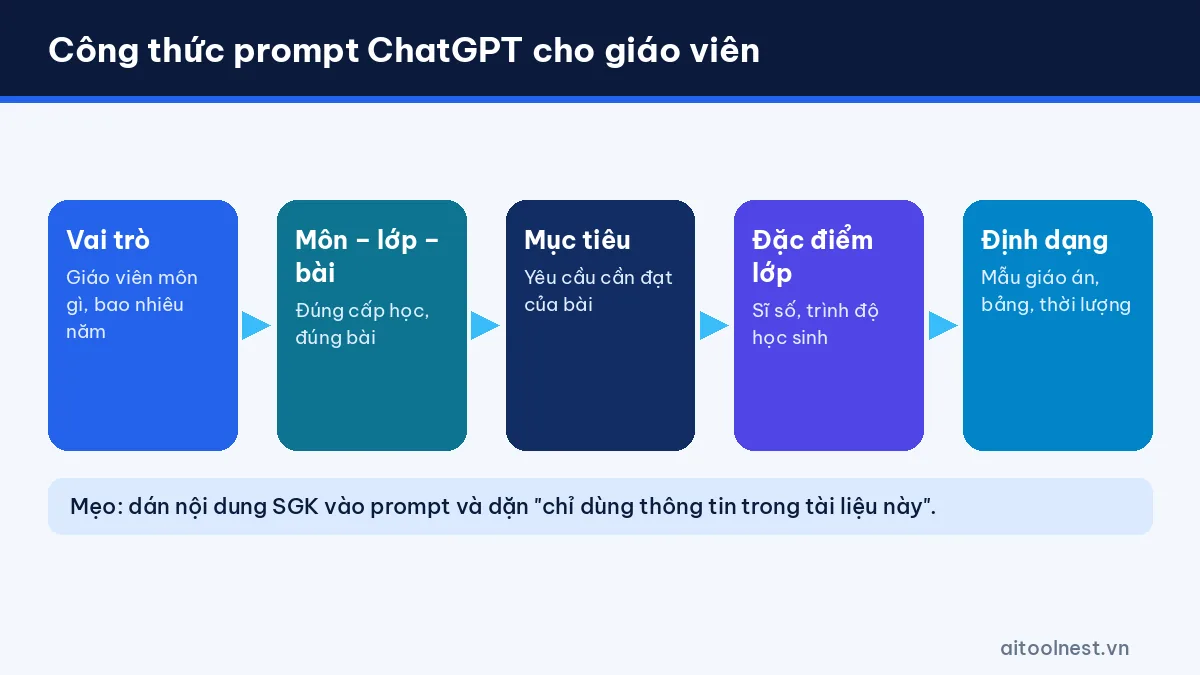
ChatGPT doesn’t know how many students you have, what level they’re at or which textbook you use. The more specific your prompt, the more realistic the result. Use this 6-part formula:
| Element | Example | Why it matters |
|---|---|---|
| Role | A middle school literature teacher with 10 years of experience | Sets the tone and expertise |
| Subject, grade, lesson | 8th-grade literature, a classic autumn poem | Avoids content at the wrong level |
| Objective | Analyze the autumn imagery and the poet’s mood | Keeps activities aligned with the objective |
| Class profile | 38 students, many with weak reading comprehension | Allows suitable differentiation |
| Time | 2 periods x 45 minutes | Helps allocate time sensibly |
| Format | A table following your school’s lesson plan template | Ready to use with few edits |
Key tip: paste the lesson content from the textbook or the learning standards into your prompt and add “only use the information in this document.” This greatly reduces the risk of AI inventing material. If you’re new to ChatGPT, first read how to use ChatGPT as a beginner and 6 steps to writing clear prompts.
ChatGPT prompts for lesson plans
1. A complete lesson plan
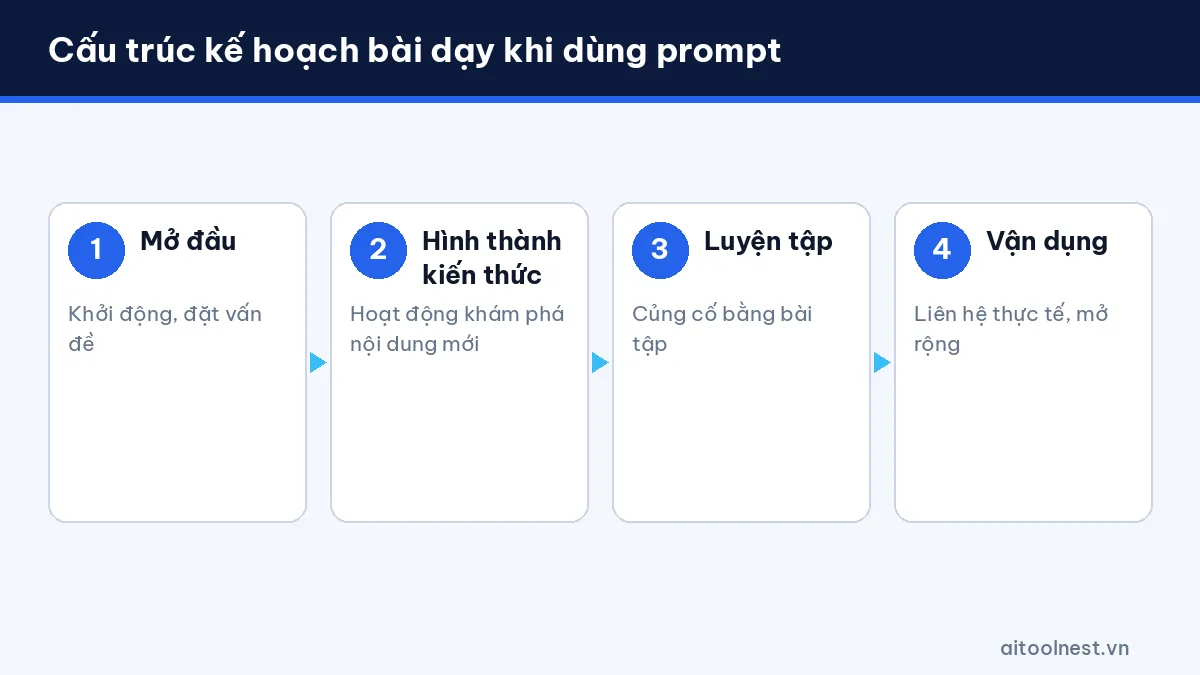
You are an experienced [subject] teacher for [grade]. Write a lesson plan for "[lesson title]" ([number] periods).
Follow the template my school uses: I. Objectives (knowledge, skills, attitudes); II. Teaching equipment and materials;
III. Lesson procedure with 4 activities: Warm-up, Building knowledge, Practice, Application.
For each activity, state: objective, content, expected output and how it runs (assigning the task, doing it, reporting, wrapping up).
Only use the content in the following document: [paste textbook content].
If your school or education authority requires a specific lesson plan template, paste the template into your prompt so ChatGPT fills in the right structure.
2. A 5-minute warm-up
Suggest 5 five-minute warm-up activities for the lesson "[lesson title]" for [grade] that don't need a projector.
For each activity: how it works, a lead-in question for the lesson and classroom management tips.
3. Questions by level of thinking
Write 12 questions for the lesson "[lesson title]" across 4 levels: remembering, understanding, applying and higher-order application (3 questions each).
Include short suggested answers and when to ask each one during the lesson.
4. A worksheet
Design a group worksheet (4-5 students) for the activity [activity name], lasting 10 minutes.
Include: the task, a table to fill in and group self-assessment criteria. Keep it to one A4 page.
5. Turn a lesson plan into slides
From the following lesson plan, create a 10-slide outline: slide title, content of no more than 40 words and an illustration idea.
[paste lesson plan]
Once you have the outline, you can build the slides quickly with the tools in our AI presentation maker guide.
Prompts for tests and test blueprints
6. Test blueprint and specification
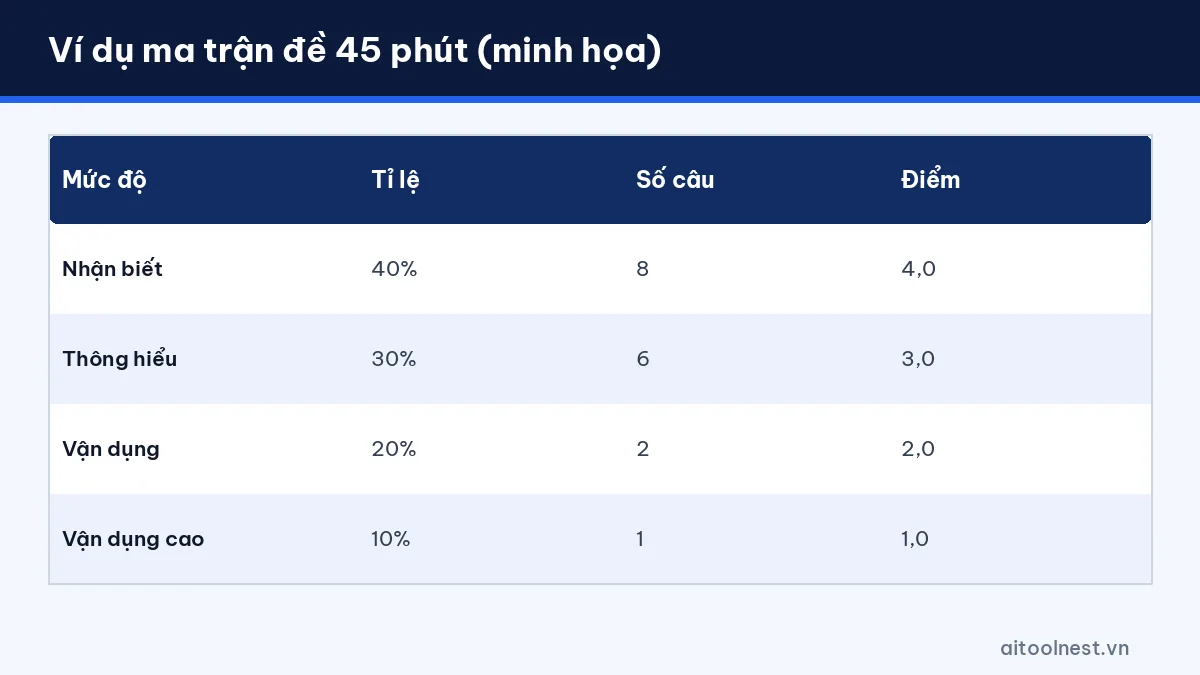
Create a blueprint for a midterm test in [subject] for [grade], lasting [45/60/90] minutes, covering: [lessons].
Difficulty mix: remembering [40]% - understanding [30]% - applying [20]% - higher-order application [10]%.
Question types: [multiple choice / true-false / short answer / essay] in the ratio [..].
Present it as a table: topic | level | number of questions | points.
7. A multiple-choice test from the blueprint
Based on the blueprint above and the following lesson content [paste], write a test with [number] multiple-choice questions with 4 options each.
Requirements: plausible distractors, no "all of the above", answers spread evenly across A-B-C-D.
At the end: an answer key with a short explanation for each question.
8. True/false and short-answer questions
Write 4 true/false questions, each with 4 statements a-b-c-d, and 6 short-answer questions on [topic] for [grade].
Clearly state the answers and where they're supported in the material.
9. Essay questions and a marking guide
Write 3 essay questions on [topic], with a detailed marking guide for each point (out of 10)
and common student mistakes that should lose marks.
10. Create equivalent versions of a test
From the original test below, create 2 equivalent versions (same level, same question types, different numbers/texts) to prevent copying.
[paste original test]
Note: work through every AI-generated test yourself. Wrong answers, questions with two correct options and unrealistic numbers are common mistakes, especially in math, physics and chemistry.
Prompts for classroom activities and differentiated instruction
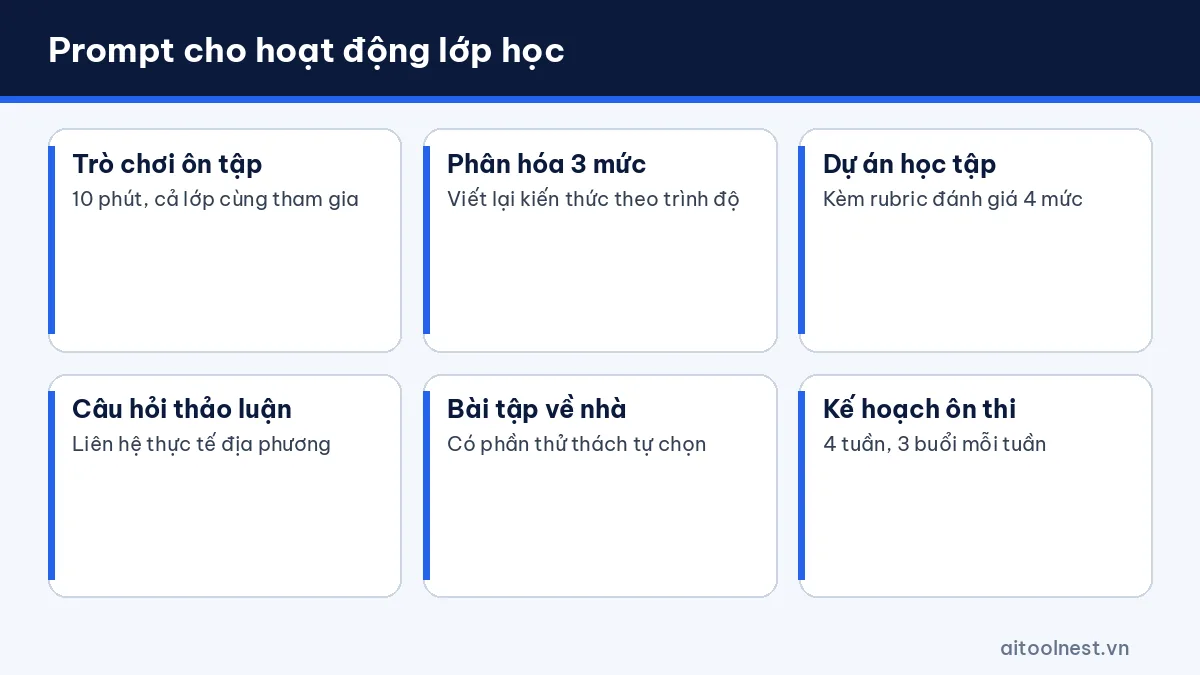
11. Suggest 3 ten-minute review games on [topic] for [grade] that work with a whole class of 40 students.
12. Rewrite the following passage at 3 levels: students who need support, students at grade level and advanced students. [paste]
13. Design a 2-week project on [topic], with a 4-level rubric for the group's final product.
14. Write 10 open discussion questions on [topic] that help students connect it to real life in their community.
15. Write a 20-minute homework assignment for the lesson [lesson title], with an optional challenge for advanced students.
16. Explain the concept of [concept] with 3 everyday examples for [grade] students.
17. Create a 4-week revision plan before the exam for [grade] [subject], with 3 sessions a week.
Prompts for student comments and parent communication
These prompts help you write comments, invitations and messages faster. Always describe students anonymously, as in the examples below.
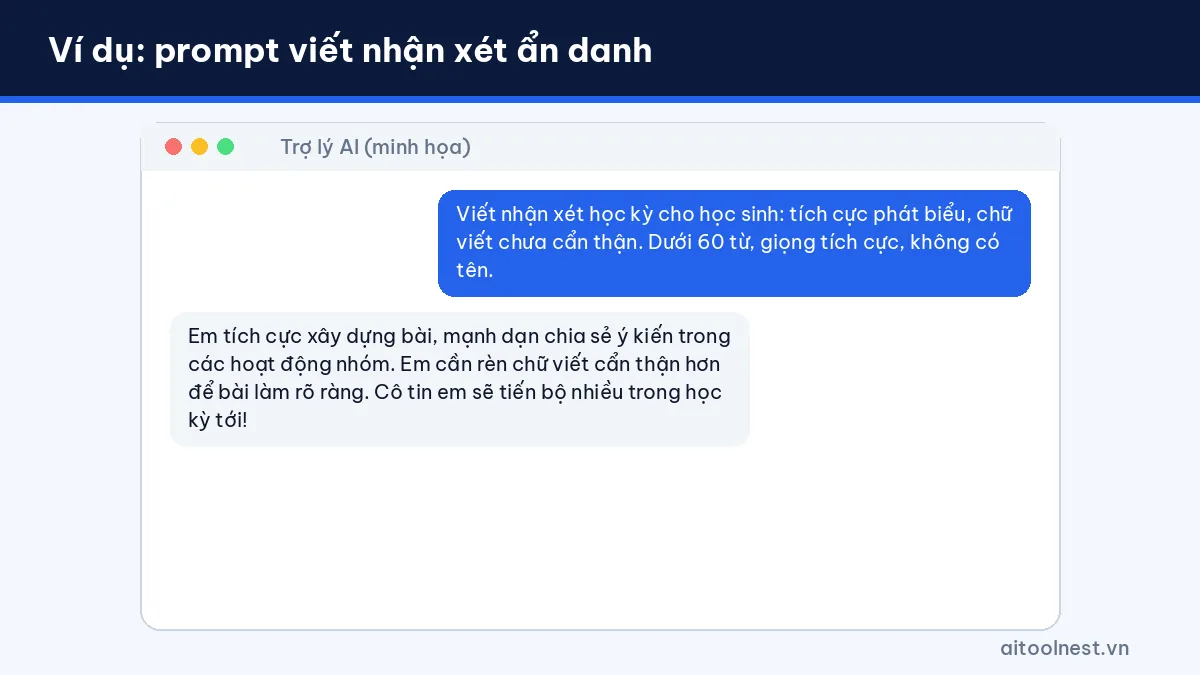
18. Write an end-of-term comment for a student with these traits: [strengths], [areas to improve]. Positive, specific tone, under 60 words.
Don't include names or any identifying information.
19. Create 15 sample comments for [subject] at 3 levels: exceeding expectations, meeting expectations, not yet meeting expectations.
20. Write an invitation to the start-of-year parent meeting: time [..], place [..], main topics [..]. Formal but friendly tone.
21. Write a message to the class parent group about [event], under 80 words, with a thank-you.
22. Suggest how to talk with parents whose child [situation: is often absent / has falling grades], including an opening line and 3 ways to work together.
23. Write a homeroom plan for [month] for [class], with goals, weekly activities and who is responsible.
24. Write a 15-minute class meeting session on [road safety / independent study skills].
25. Write an end-of-semester report for our subject department based on these points: [paste points].
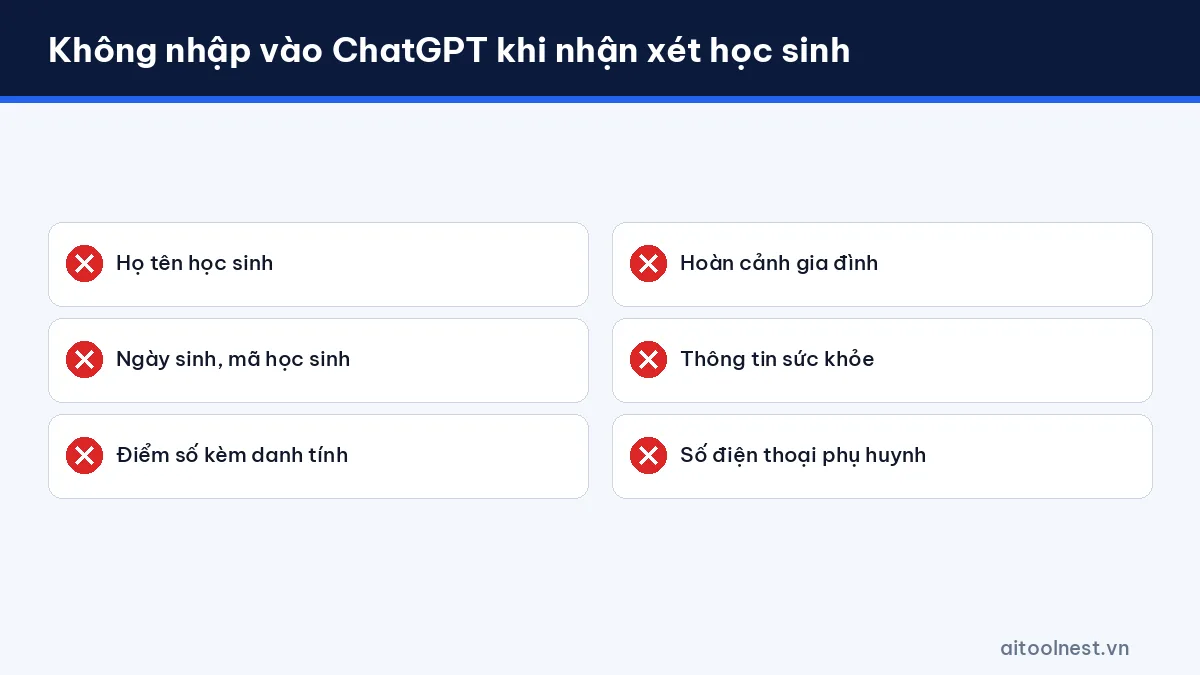
Privacy rule: don’t enter students’ names, dates of birth, grades linked to their identity or family circumstances into ChatGPT. Describe traits anonymously, then add the name yourself when you enter it into the school’s records or software.
A safe workflow for using ChatGPT in teaching
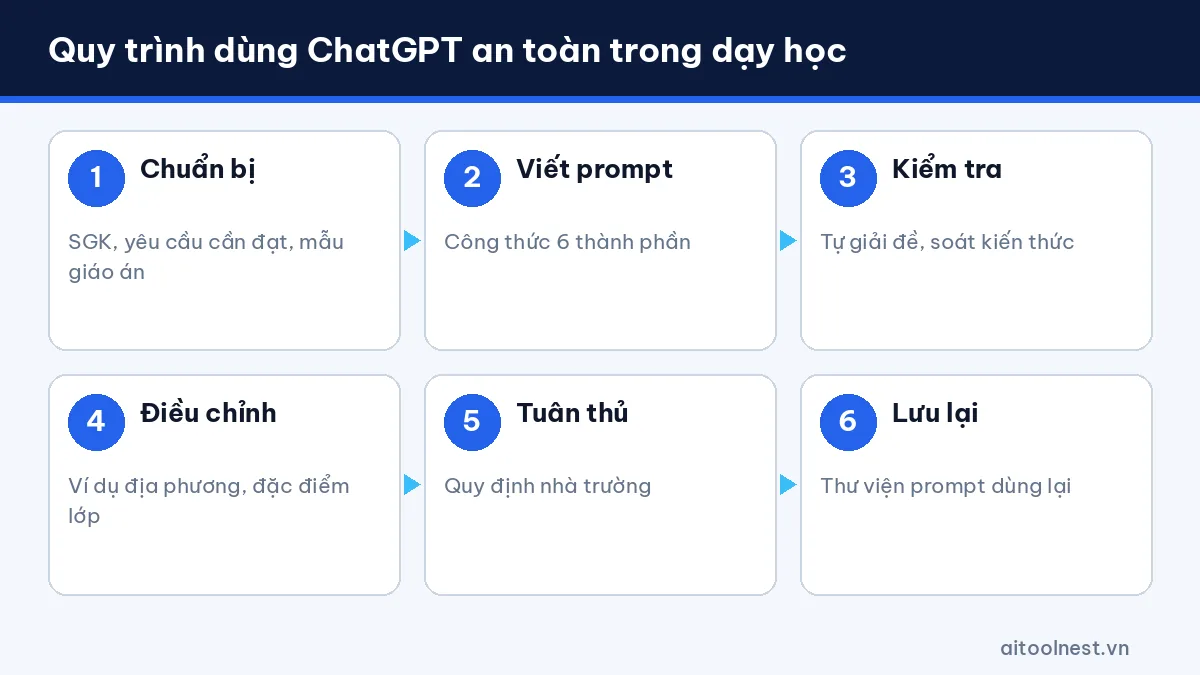
- Prepare your inputs: textbook content, learning standards and your school’s lesson plan template.
- Write prompts with the 6-part formula and tell the AI to use only the materials you provide.
- Check the subject matter: verify facts, work through tests yourself and review texts and citations.
- Adapt to your class: add local examples and real situations your students face.
- Follow the rules: follow your school’s and education authority’s guidance on using AI.
- Save good prompts: build your own prompt library (for example in ChatGPT Projects) to reuse in later lessons.
About plans: according to OpenAI’s help center, the ChatGPT for Teachers program is free until June 2028 but is only available to verified K–12 teachers in the US. Teachers elsewhere can use ChatGPT’s Free plan, which as of October 2026 includes text chat, Projects and Study mode, with limits on file uploads and image generation (see chatgpt.com/pricing).
Prompt libraries for many other jobs are on our AI prompts page, and tools for teaching and learning are collected in our AI for learning category.
Frequently asked questions about ChatGPT prompts for teachers
Can I write ChatGPT prompts for teachers in a language other than English?
Yes. ChatGPT understands many languages. Clearly state the subject, grade, lesson, objective and format; you can add technical terms in English in brackets if needed.
Can ChatGPT write lesson plans that follow the curriculum?
ChatGPT doesn’t know exactly what’s in the textbook you use. Paste the lesson content and your school’s lesson plan template into the prompt, then check the subject matter yourself.
Can I trust ChatGPT to write tests?
You can use them as a draft. Teachers need to work through the whole test, check the answers and distractors, and make sure the difficulty mix matches the blueprint.
Who can use ChatGPT for Teachers?
According to OpenAI’s help center (October 2026), ChatGPT for Teachers is only for verified K–12 teachers in the US. Teachers in other countries can use the Free plan or regular paid plans.
Should I enter student names and grades into ChatGPT to write comments?
No. Describe the student anonymously, then add the name yourself when you put the comment into the school’s system.
Do these prompts work with Gemini or Claude?
Yes. The prompts are written in natural language, so they work with most AI assistants; just adjust them if the output is too long or too short.
Conclusion
ChatGPT prompts for teachers work best when they’re specific: clear about the subject, grade, lesson, objective, class profile and format. Use the templates above as a starting point, always provide the source material, check the subject matter yourself and protect student data. That way, ChatGPT becomes an assistant that saves you prep time so you can spend more of it on your students.
