
How to Use AI: Guides for Beginners
AIToolNest’s guides on how to use AI are written for beginners and for anyone who wants a more structured way of working with AI: choosing a tool, writing requests, checking results and protecting your data. Each guide focuses on one concrete task you can try right away.
A learning path for beginners
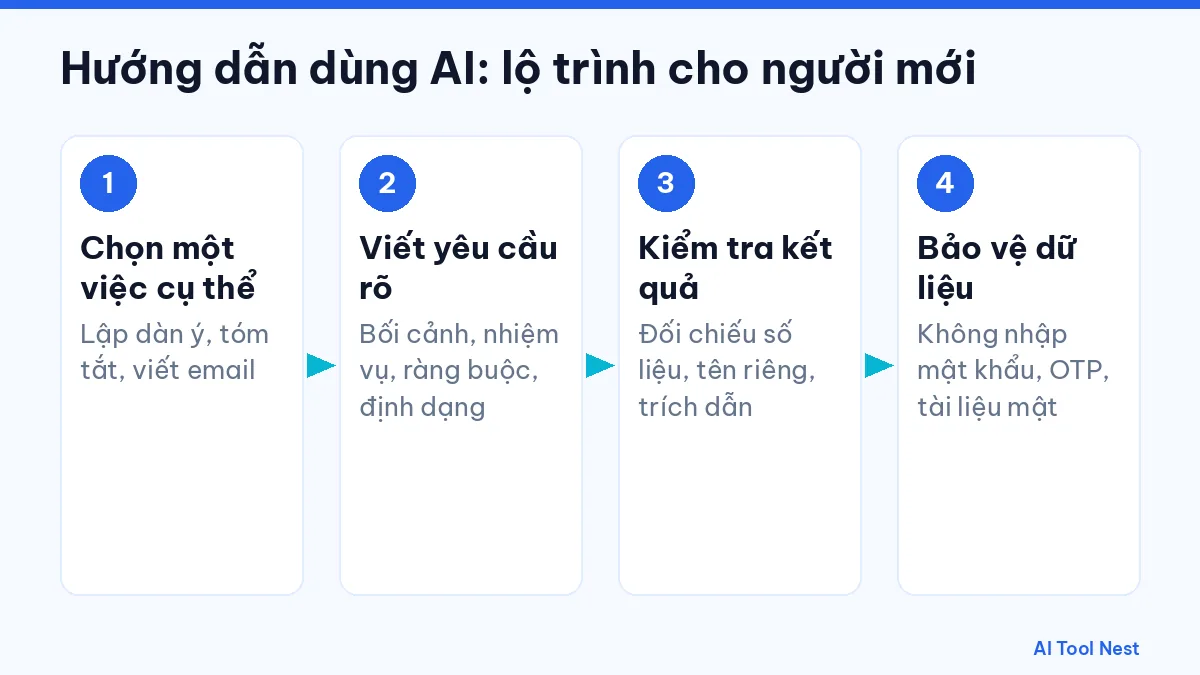
1. Pick one specific task
For example: outlining an article, summarizing a document or writing an email. Read how to choose the right AI tool, or start with how to use ChatGPT as a beginner.
2. Learn to write good requests
Give the context, the task, the constraints and the format you want. See 6 steps to writing clear prompts and our prompt templates.
3. Check the results
Verify figures, names, dates and citations against the original source before you use them.
4. Protect your data
Never enter passwords, one-time codes, customer information or confidential documents into an AI tool.
Guides by type of work
- AI writing
- AI image generation
- AI video
- AI audio and voice
- AI for coding
- AI for marketing
- AI productivity
- AI for learning
Guides by tool
- ChatGPT — a conversational AI assistant from OpenAI, available on the web and in mobile apps.
- Claude — an AI assistant from Anthropic, focused on conversation, writing and document analysis.
- Gemini — Google’s AI assistant, available on the web, in mobile apps and inside several Google products.
- Canva AI — the AI features built into the Canva design platform for creating and editing visual content.
- ElevenLabs — an AI voice platform for text-to-speech and related audio tools.
- GitHub Copilot — GitHub’s AI coding assistant, working in your code editor and on GitHub.
- Runway — an AI video platform for generating and editing video from text, images or existing clips.
Safety rules for using AI
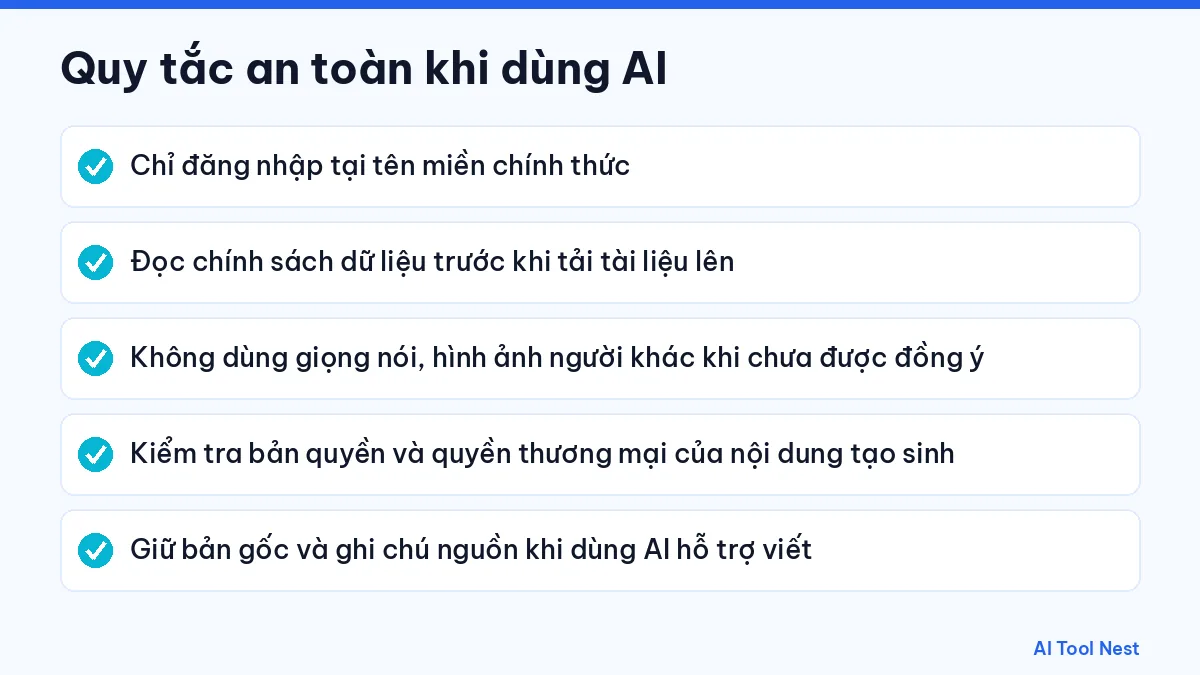
- Only log in on the provider’s official domain.
- Read the data policy before uploading documents.
- Never use another person’s voice or image without their consent.
- Check the copyright and commercial rights of generated content.
- Keep your original drafts and note your sources when AI helps you write.
How to judge a how-to guide
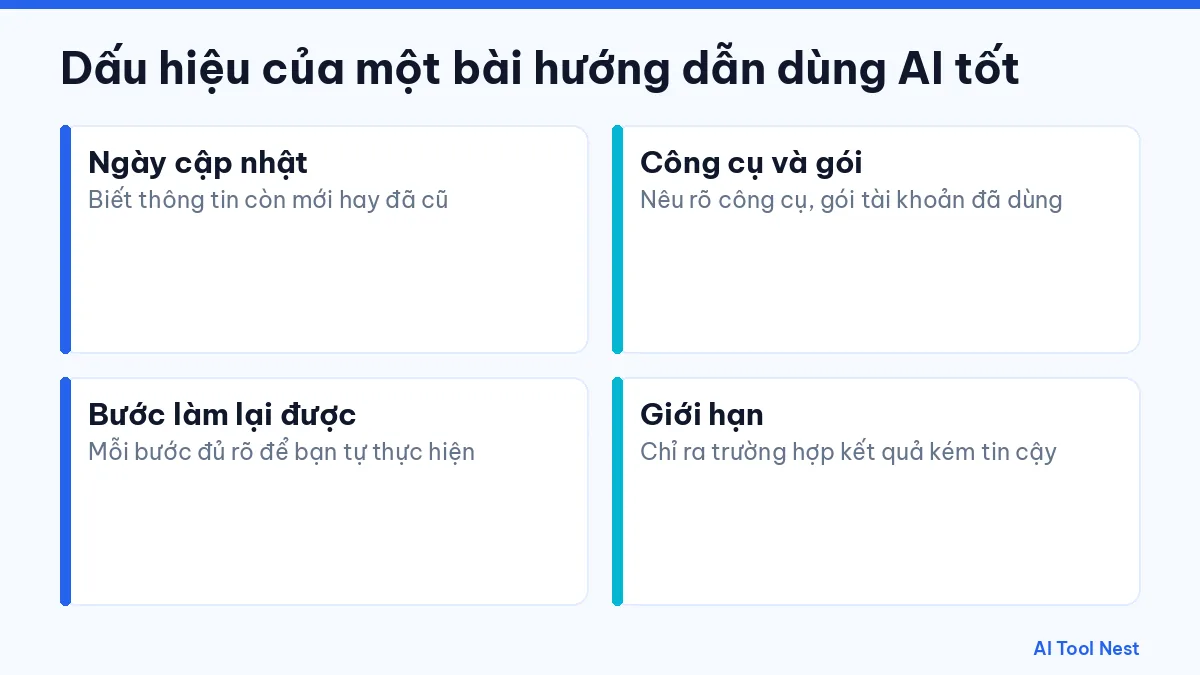
A good guide shows when it was last updated, names the tool and plan it uses, describes steps you can repeat and points out the limits. If a tool’s interface has changed since the guide was written, follow the provider’s official documentation and let us know through our contact page so we can update it.
Frequently asked questions
I have never used AI. Where should I start?
Pick an all-purpose assistant, try one small task with sample data and compare it with the way you work now.
Will AI replace my job?
AI can help with some steps, but you still need to check the work, make the decisions and take responsibility for the result.
Are the guides kept up to date?
Every guide shows its update date. Tool interfaces change, so compare with the official documentation as well.
Conclusion
Using AI well starts with small tasks and a habit of checking the output. Follow new articles in the AI tutorials category and on the AIToolNest homepage.
Sources: ChatGPT, Claude, Gemini, Canva AI, ElevenLabs, GitHub Copilot, Runway.