Quick answer: The easiest way to summarize a YouTube video with AI is to sign in to Gemini and paste the video link with a request such as “summarize this video in 7 key points.” If you use ChatGPT, Claude or another tool, open the video’s transcript on YouTube, copy it and paste it into the chat. Always check the important points against the timestamps in the video before you rely on them.
Lectures, conference talks and podcasts on YouTube often run 30–120 minutes. This guide covers 3 ways to summarize YouTube videos with AI, compares their pros and cons, explains how to check accuracy and gives you prompts for different purposes. Feature details were checked against Google’s official documentation as of October 2026.
Updated: October 24, 2026
Contents
- When should you use AI to summarize YouTube videos?
- Method 1: Summarize YouTube videos with Gemini
- Method 2: Use the transcript with ChatGPT or Claude
- Method 3: The Gemini API for developers
- Comparing the methods
- Checking the accuracy of a summary
- Summary prompts by purpose
- Frequently asked questions
When should you use AI to summarize YouTube videos?
AI summaries are useful when you want the main ideas before deciding whether to watch the whole video, when you’re reviewing a lecture, taking notes on a conference talk or sharing content with colleagues. A good summary tells you what the video covers, which points matter and at what minute they appear.
However, AI doesn’t replace deep learning. For content that needs high accuracy, such as health, law, finance or exam material, a summary should only be a “map” that helps you go back to the right section. You can find more tips on learning with AI in our AI for learning category.
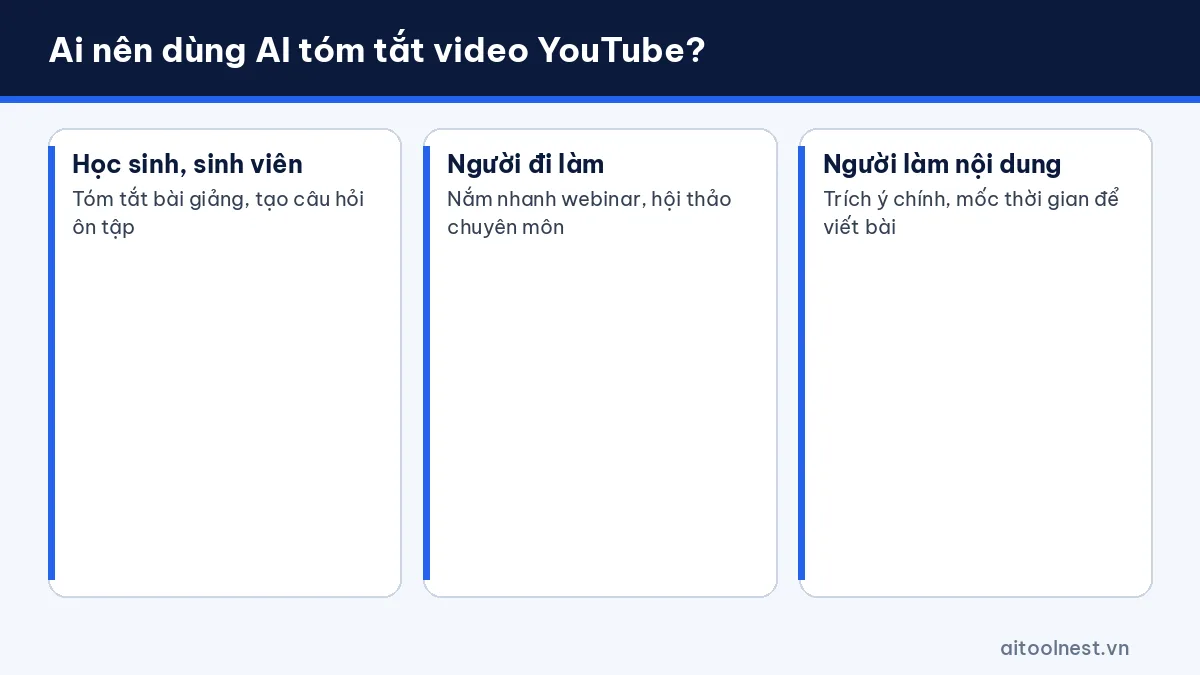
- Students: summarize lectures and create review questions.
- Professionals: quickly grasp webinars, conferences and expert talks.
- Content creators: pull out key points, quotes and timestamps for articles.
Method 1: Use Gemini to summarize YouTube videos
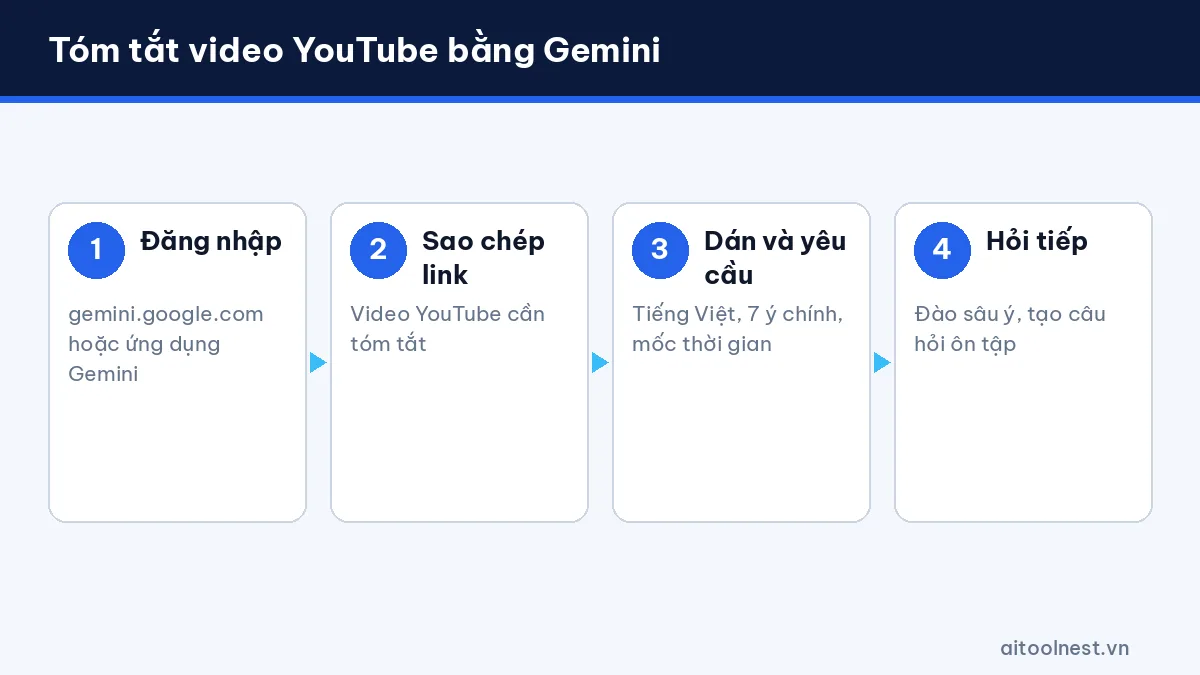
According to Google’s help page, Gemini can find and summarize YouTube videos when you’re signed in at gemini.google.com and have Gemini Apps Activity turned on. This feature isn’t available in Gemini Live conversations. Here are the steps:
- Open gemini.google.com or the Gemini app and sign in with your Google account.
- Copy the link of the YouTube video you want to summarize.
- Paste the link into the chat with your request, for example: “Summarize this video in 7 key points with timestamps.”
- Ask follow-up questions to dig deeper: “Explain point 3 in more detail” or “Create 5 review questions.”
Tip from the user community: videos with captions (automatic or uploaded by the creator) usually give better results. If Gemini says it can’t read the video, switch to method 2. See our Gemini profile for its other features.
Method 2: Use the transcript with ChatGPT or Claude
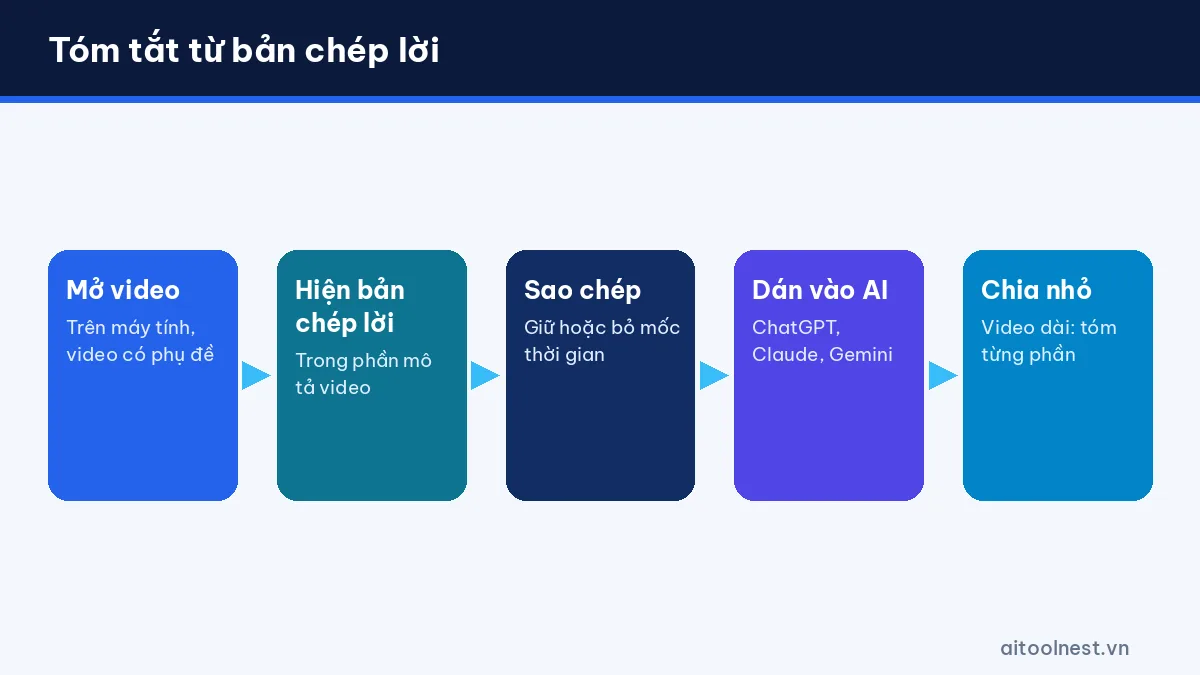
This is the most flexible method because it works with almost any AI assistant, even when the tool can’t open video links:
- Open the video on YouTube on a computer.
- In the video description, select Show transcript. A transcript is only available if the video has captions.
- Turn off timestamps if you want cleaner text, or keep them so the AI can cite the minute.
- Copy all the text and paste it into ChatGPT, Claude or Gemini with a summary prompt.
- For very long videos, split the transcript into parts (for example every 20 minutes), summarize each part and then ask for an overall summary.
Note: free plans of AI assistants limit context length. According to ChatGPT’s pricing page (as of October 2026), the Free plan has a smaller context window than paid plans, so splitting the text helps the AI avoid missing content. If you’re new to it, read how to use ChatGPT as a beginner.
Method 3: The Gemini API for developers
If you need to summarize videos in bulk (for example, a training center’s lecture library), you can use the Gemini API. According to the Gemini API documentation, you can pass a YouTube URL directly in a request; this feature is in preview, only works with public videos, and the free tier limits the total video length per day. This method suits people with programming skills who need automation.
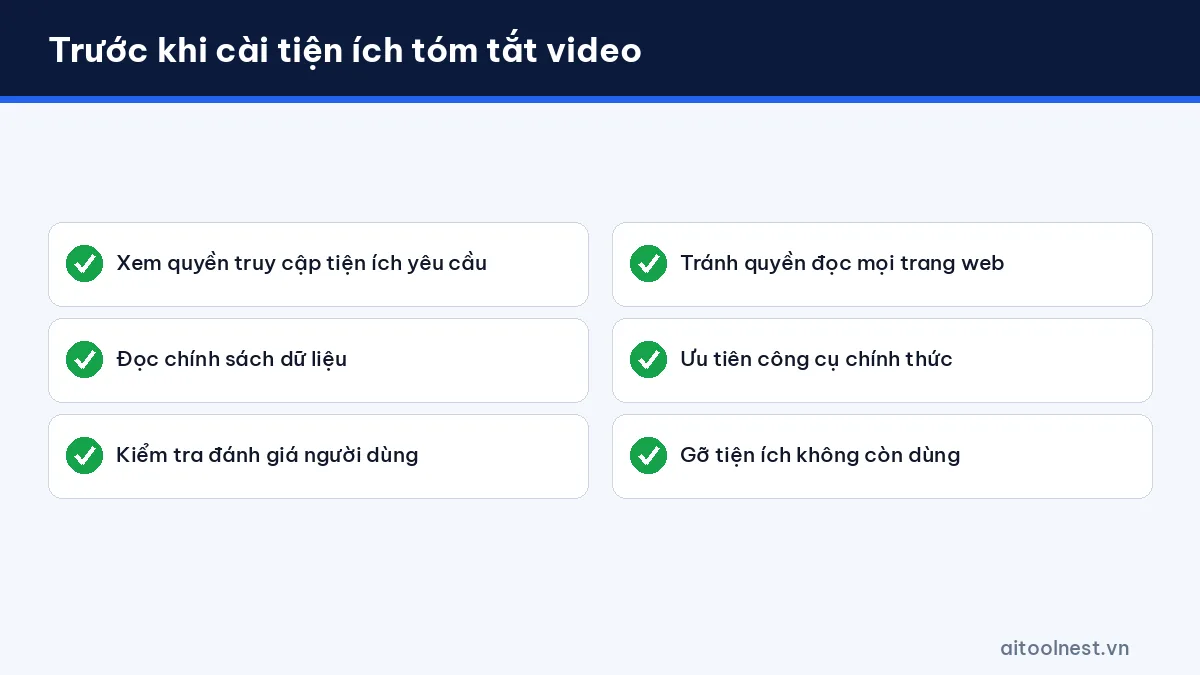
There are also many browser extensions and third-party websites that advertise video summaries. Before installing one, check the permissions it requests, its data policy and its user reviews, and avoid granting access to read every website unless it’s necessary.
Comparing ways to summarize videos with AI (as of October 2026)
| Method | Pros | Cons | Best for |
|---|---|---|---|
| Gemini + video link | Fast, no copying text | Requires sign-in, not available in Gemini Live; works better when the video has captions | Most users |
| Transcript + ChatGPT/Claude | Works with any AI assistant, you control the input | Video needs captions; long videos must be split | People who need high accuracy |
| Gemini API | Bulk automation | Requires coding; public videos only; free tier limits | Developers, educational organizations |
| Third-party extensions | Convenient, right on the YouTube page | Privacy risks, inconsistent quality | Think carefully before using |
If you’re unsure which assistant to use as your main tool, our ChatGPT vs Gemini comparison will help you decide.
Checking the accuracy of an AI summary
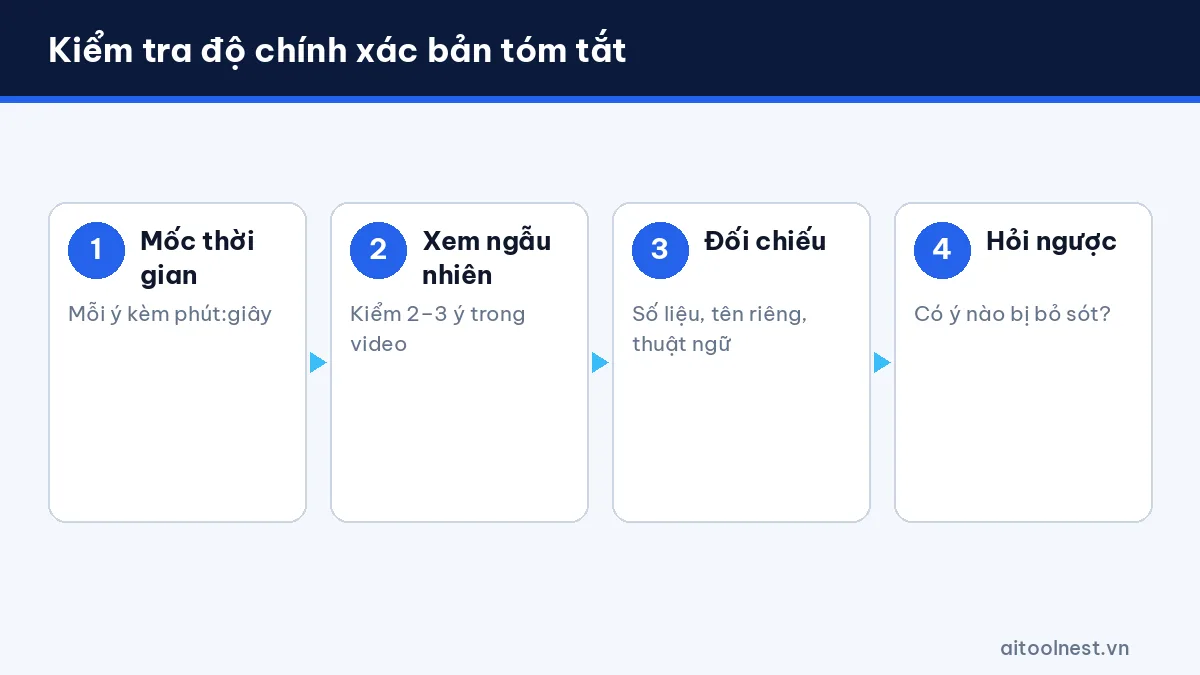
AI can miss points, merge two ideas incorrectly or “fill in” information that isn’t in the video. Use this 4-step check:
- Ask for timestamps: every key point should include the minute:second in the video.
- Spot-check 2–3 points: jump to those timestamps to see whether the AI got them right.
- Check figures and names: automatic captions often get names, terms and numbers wrong.
- Ask the reverse question: “Did the summary leave out any important points?” so the AI reviews its work.
Prompt templates to summarize YouTube videos with AI
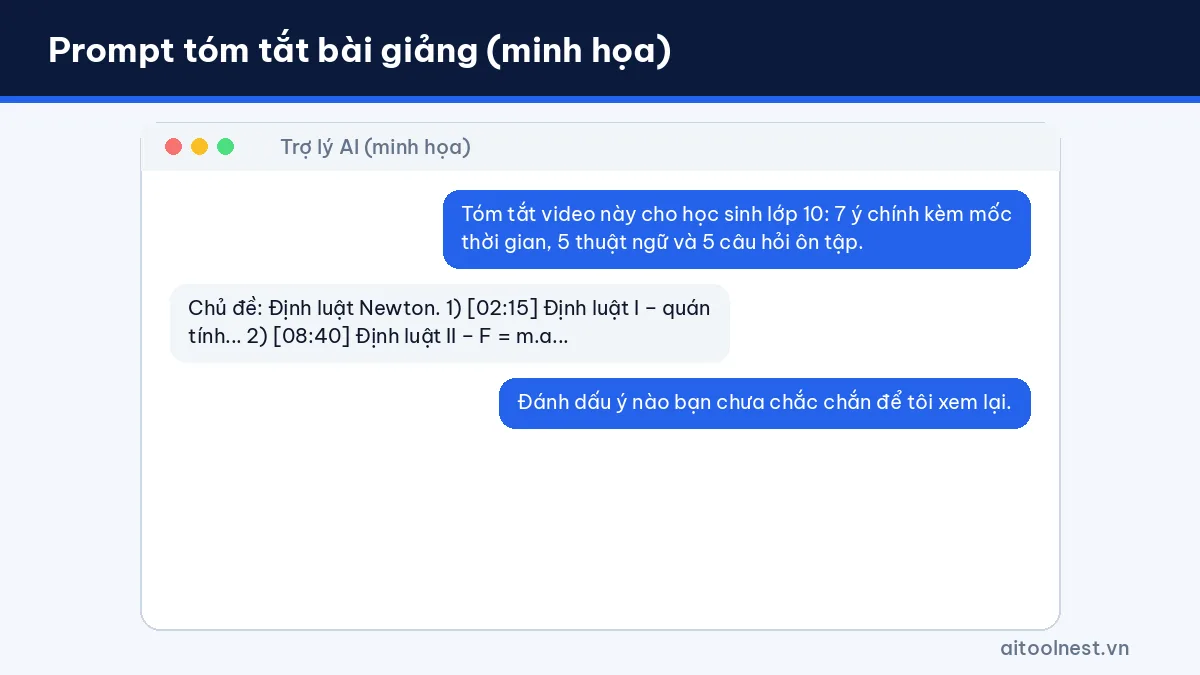
Summarize a lecture for review
Summarize the following video/transcript for a [grade/major] student.
Format: (1) one sentence stating the topic, (2) 7 key points with timestamps, (3) 5 key terms with definitions,
(4) 5 review questions with answers at the end. Don't add any information that isn't in the video.
Summarize a conference talk or webinar for work
Summarize the following for a busy manager who has 2 minutes to read it.
Include: context, 5 key insights, any figures mentioned (with timestamps) and 3 things my team could apply.
Mark anything unclear as [NEEDS CHECKING].
Summarize a recorded meeting
Here is the meeting transcript: [paste]. Write meeting minutes covering: attendees, decisions made,
action items (owner, deadline) and open issues. Don't guess if the transcript isn't clear.
Turn a video into an article outline
Based on this video, create an outline for a 1,200-word blog post with H2/H3 headings,
noting the source timestamp for each section so I can check it. Suggest 3 notable quotes.
Going further: summarizing documents and meetings with AI
The same process works when you need AI to summarize PDFs, reports or meetings: provide the original text, ask for a clear structure, require references (page numbers, timestamps) and spot-check the result. Google’s research notebook tool, formerly known as NotebookLM, was renamed Gemini Notebook on July 16, 2026, and is a good fit when you want to ask questions across several documents at once. See more tools for office work in our Productivity category.
Frequently asked questions about summarizing YouTube videos with AI
What’s the easiest free AI to summarize YouTube videos?
Gemini is an easy place to start: sign in with your Google account, paste the video link and ask for a summary. You can also paste the transcript into the free plans of ChatGPT or Claude.
Why can’t the AI summarize a video?
The video may have no captions, be private or be restricted. Try opening the transcript on YouTube and pasting the text into your AI assistant instead of the link.
Can AI summarize a video in a different language from the one it was recorded in?
Yes. State the output language clearly, for example “summarize in English”, and ask it to keep technical terms in the original language in brackets to avoid mistranslation.
Are AI summaries accurate?
They usually get the main ideas right but can miss or misstate details, especially names and figures. Ask for timestamps and spot-check a few points in the video.
Can AI summarize TikTok or Facebook videos?
The most reliable approach is to get the captions or transcript (if the platform supports it) and paste them into your AI assistant. This guide focuses on YouTube.
Conclusion
Summarizing YouTube videos with AI can save you hours of viewing every week. Start with Gemini for speed, use the transcript with ChatGPT or Claude when you need control over the input, and always ask for timestamps so you can check the result. The best summary is one you’ve checked against the original video.
