Quick answer: In the ChatGPT vs Gemini debate, there’s no tool that’s “better” for everyone. Choose Gemini if you live in Google’s ecosystem (Gmail, Docs, Drive, YouTube) and want storage bundled with your plan. Choose ChatGPT if you need an all-round assistant with Projects, custom GPTs and lots of third-party integrations. The surest way to decide is to run the same set of prompts on both and score them against your own work.
This article compares Gemini and ChatGPT on the criteria users care about most: free plans, features, writing quality, learning, office work and coding. Plan and feature details were checked against Google’s and OpenAI’s official pages as of October 2026. We don’t publish made-up benchmark scores; instead, we give you a test kit so you can judge for yourself.
Updated: October 24, 2026
Contents
- ChatGPT vs Gemini: a quick overview
- Free and paid plans compared
- Key features compared
- Which is better for your needs?
- How to test ChatGPT vs Gemini in 30 minutes
- What about Claude?
- Frequently asked questions
ChatGPT vs Gemini: a quick overview
ChatGPT is OpenAI’s AI assistant, known for its conversational experience, writing, file analysis and ecosystem of custom GPTs. Gemini is Google’s AI assistant, tightly linked to your Google account and services such as Gmail, Docs, Drive, Maps and YouTube.
In short, the biggest difference between the two isn’t “which one is smarter” but the ecosystem and how you work day to day. If you’re just getting started, read our Gemini and ChatGPT profiles on AI Tool Nest to understand what each tool can and can’t do.
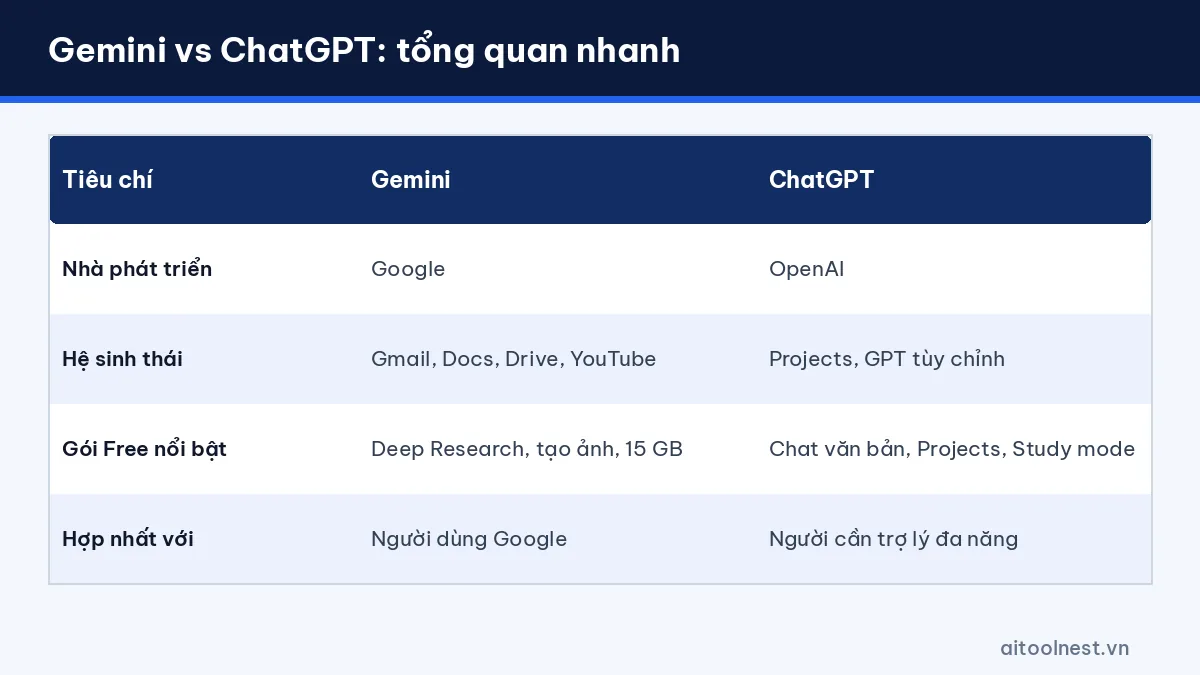
| Criteria | Gemini | ChatGPT |
|---|---|---|
| Developer | OpenAI | |
| Access | gemini.google.com, mobile apps | chatgpt.com, mobile and desktop apps |
| Ecosystem strengths | Gmail, Docs, Drive, YouTube, Google One storage | Projects, custom GPTs, many connected apps |
| Free plan | Yes (image generation, Deep Research, Gemini Live, Canvas, Gems) | Yes (text chat, Projects, Study mode; limited file uploads and image generation) |
| Best for | Google Workspace users, learning with YouTube | People who need an all-round assistant for writing and file analysis |
Free and paid plans compared (as of October 2026)
Gemini
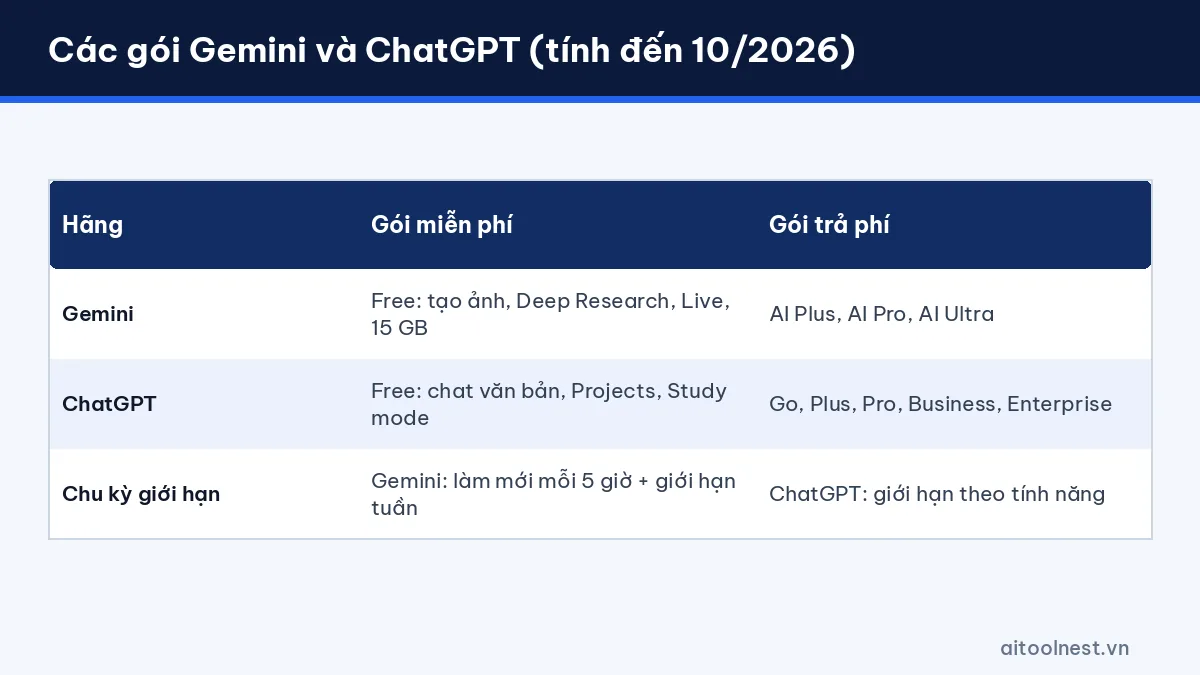
According to the Gemini subscriptions page, Google currently offers four tiers: Free, Google AI Plus, Google AI Pro and Google AI Ultra. The Free plan already includes image creation and editing, Deep Research, Gemini Live, Canvas and Gems, plus 15 GB of storage. Paid plans raise usage limits (AI Plus offers 2x and AI Pro 4x the Free limits), unlock more capable models and add storage (400 GB with AI Plus, 5 TB with AI Pro). AI Pro brings Gemini into Gmail and Docs. Usage limits reset on a 5-hour cycle, with additional weekly limits. Prices vary by country; in the US, for example, Ultra is listed at $99.99 per month.
ChatGPT
According to the ChatGPT pricing page, OpenAI offers Free, Go, Plus, Pro, Business and Enterprise plans. The Free plan includes unlimited text chat with the GPT-6 model (subject to abuse safeguards), Projects, Study mode and a built-in browser; file uploads, image generation, voice and deep research are limited. The Go plan may show ads. Plus adds advanced reasoning, scheduled tasks, custom GPTs and expanded deep research. Prices for each plan are shown for your region when you sign up.
Our take: On the free tier, Gemini stands out for Deep Research, image generation and 15 GB of storage, while ChatGPT stands out for generous text chat and Projects. If you already pay for Google One storage, a Google AI plan may be better value because it bundles storage.
Key features compared
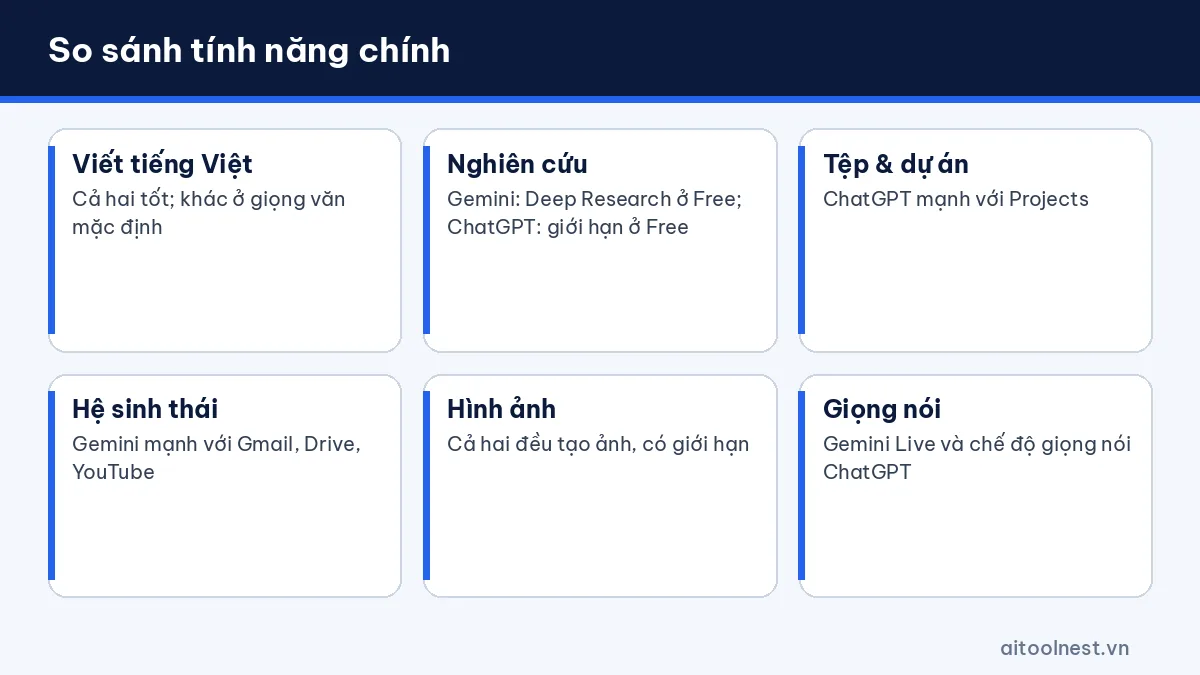
Writing and editing
Both write well for emails, posts and outlines, in English as well as in Vietnamese. The differences usually come down to the default tone and how wordy each one is. The fix is the same for both: state the audience, length and tone in your prompt. See our guide on how to use ChatGPT as a beginner for a 4-part prompt formula that also works with Gemini.
Search and research
Gemini builds on Google’s search infrastructure and includes Deep Research on the Free plan. ChatGPT has web search and deep research (limited on Free, expanded on Plus). With both, ask for sources and open the links to check them yourself.
Files and ecosystem
Gemini has the edge when your documents are in Google Drive, your email is in Gmail and your videos are on YouTube. According to Google’s official help, Gemini can find and summarize YouTube videos when you’re signed in. ChatGPT is strong with Projects, which group files, instructions and chats by project, and with custom GPTs for repeatable workflows.
Images and voice
Both generate images and support voice conversations. Gemini Live and ChatGPT’s voice mode are both good for conversation practice and quick questions on the go. On the free plans, usage is limited.
ChatGPT or Gemini: which is better for your needs?
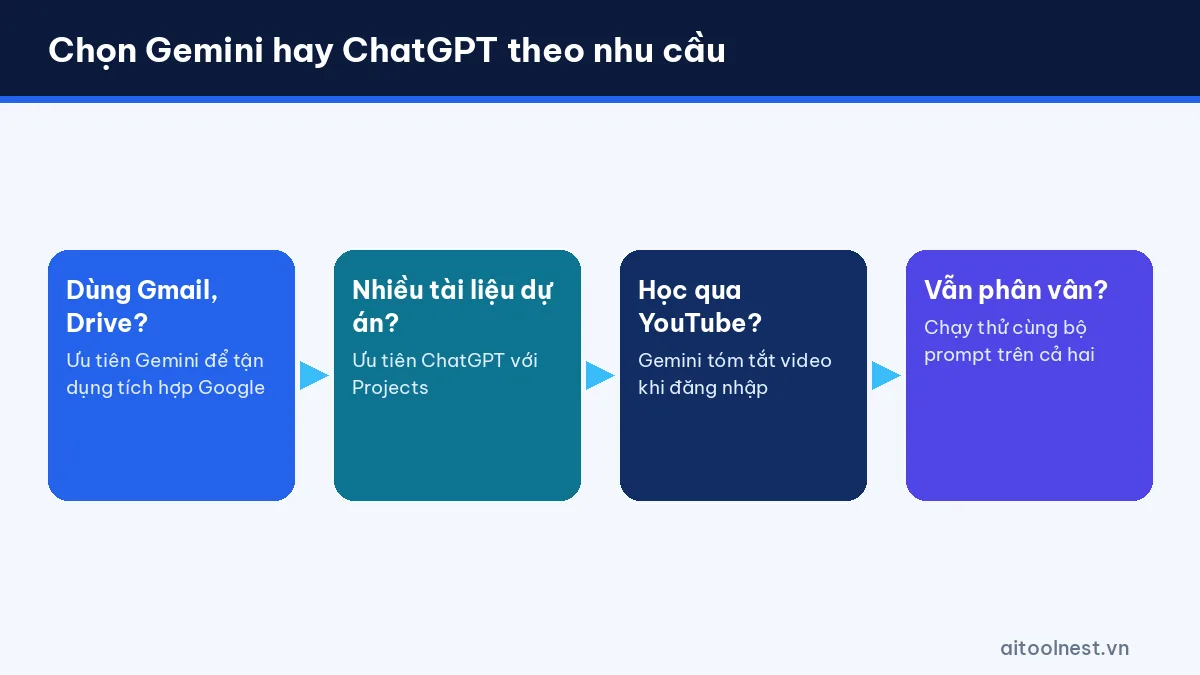
Instead of asking “which one is better” in general, look at the work you do most each week:
| Need | Leans toward | Why |
|---|---|---|
| Drafting and summarizing Gmail messages | Gemini | Gmail/Docs integration on AI Pro |
| Learning from YouTube videos | Gemini | Finds and summarizes YouTube videos when signed in |
| Writing content, editing multiple versions | Tie | Both are good; depends on the prompt |
| Managing projects with many documents | ChatGPT | Projects available even on Free |
| Repeatable workflows, personal assistants | ChatGPT | Custom GPTs, scheduled tasks (paid plans) |
| Need more storage | Gemini | Google AI plans include Google storage |
| Coding | Tie | Test on your own codebase |
Suggestions by user type:
- Students: use Gemini to summarize YouTube lectures and ChatGPT’s Study mode to practice solving problems step by step.
- Office workers on Google Workspace: go with Gemini first.
- Content creators and marketers: try both; many people use them side by side for two perspectives.
- Developers: score them on real tasks, and also consider dedicated tools such as GitHub Copilot.
How to test ChatGPT vs Gemini yourself in 30 minutes
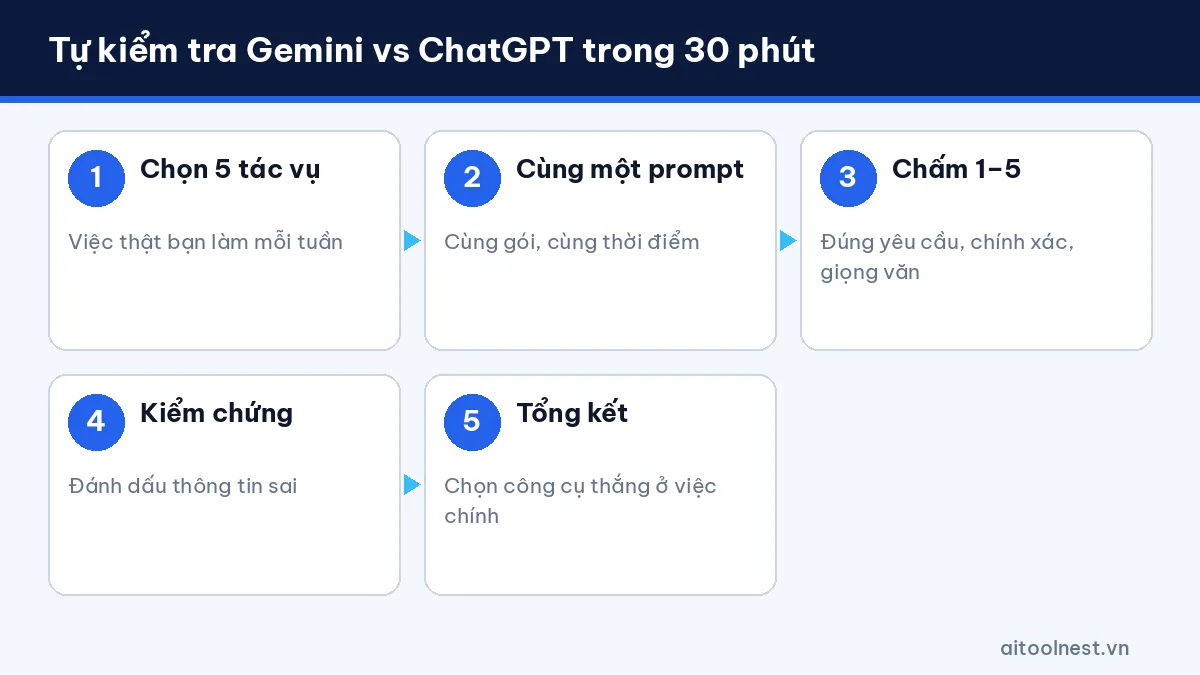
This is the process we recommend for a fair comparison:
- Pick 5 real tasks you do every week (for example: writing an email, summarizing a report, outlining an article, explaining a concept, writing an Excel formula).
- Use the same prompt for both tools, at the same time, on the same tier (Free vs Free).
- Score each answer 1–5 on 4 criteria: follows the request, accuracy, tone and how much editing it needs.
- Fact-check: flag any wrong information or mismatched sources.
- Tally up: whichever tool wins on the tasks you do most becomes your main tool.
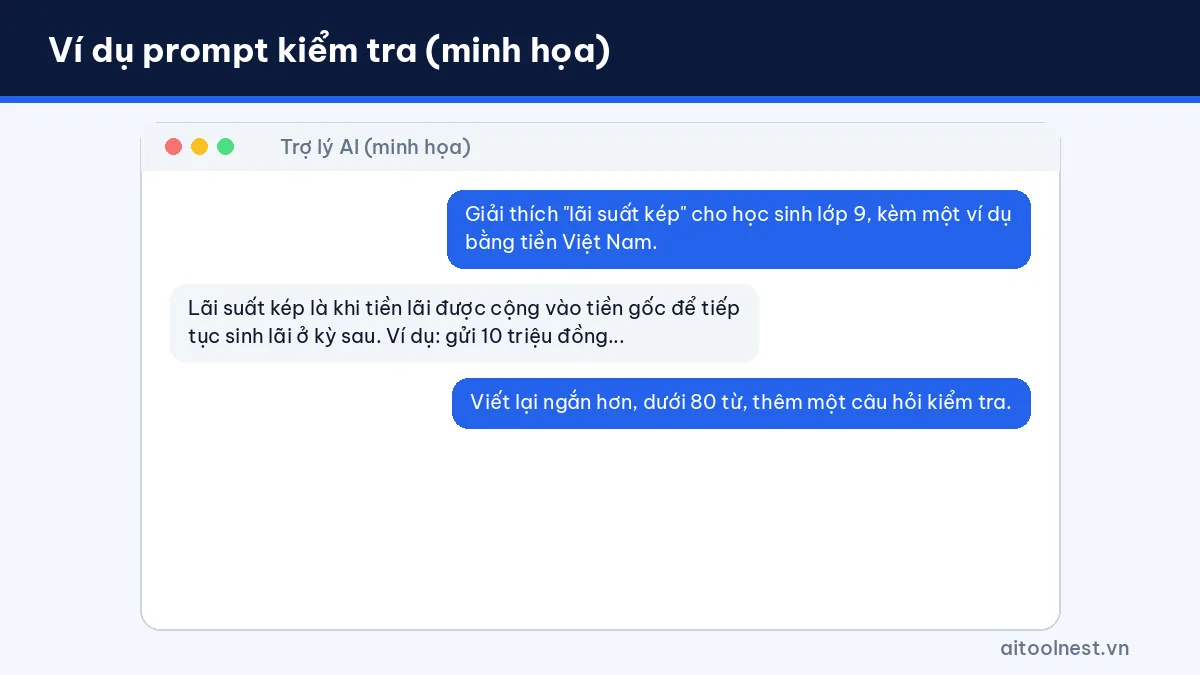
A sample prompt set to try:
1) Write an email to a client asking to move our meeting to Friday, polite tone, under 100 words.
2) Summarize the following text into 5 key points and 3 action items: [paste text].
3) Explain "compound interest" to a 9th grader, with an example using real amounts of money.
4) Write an Excel formula that totals revenue in column C when column A is "Hanoi" and column B falls in October 2026.
5) Create an outline for a 1,500-word article on [topic], with H2/H3 headings and FAQ questions.
Scoring prompt (paste both answers into a third tool, or score them yourself):
Compare answers A and B to the request [request].
Score 1-5 for: follows the request, accuracy, clarity, tone. Point out specific errors, if any.
A scoring table you can set up in Google Sheets or Excel:
| Task | Follows request | Accuracy | Tone | Editing needed | Total |
|---|---|---|---|---|---|
| Rescheduling email | …/5 | …/5 | …/5 | …/5 | …/20 |
| Report summary | …/5 | …/5 | …/5 | …/5 | …/20 |
| Excel formula | …/5 | …/5 | …/5 | …/5 | …/20 |
ChatGPT vs Gemini vs Claude: what about Claude?
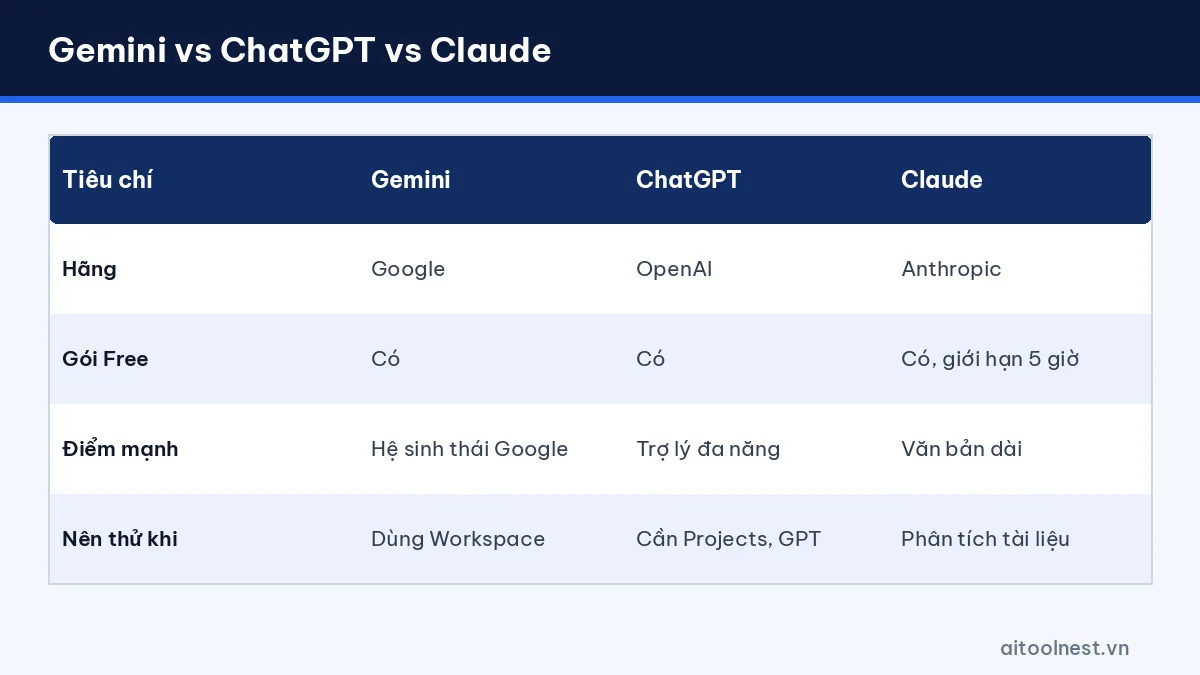
Many people search for “ChatGPT vs Gemini vs Claude” because Anthropic’s Claude is another popular choice. According to the Claude pricing page (as of October 2026), Claude has a Free plan with usage limits on a 5-hour window, web search, Artifacts, memory and app connectors; the Pro plan costs $20 per month (or $17 per month billed annually). Claude is often chosen for long-form writing and document analysis. See our Claude profile to learn more.
Practical advice: use the free plans of all three for a week with the test kit above before paying for any of them. More comparisons are collected on our AI tool comparisons by task page.
If you mainly need an AI that keeps up with breaking news and social trends, read what Grok is and how to use it to see how it compares with ChatGPT and Gemini.
Frequently asked questions about ChatGPT vs Gemini
ChatGPT vs Gemini: which one is better?
There’s no universal answer. Gemini suits people in Google’s ecosystem, while ChatGPT suits people who need an all-round assistant and Projects. Run the same prompts on both and score them against your own work.
Is Gemini free?
Yes. As of October 2026, Gemini’s Free plan includes image generation, Deep Research, Gemini Live, Canvas, Gems and 15 GB of storage, with usage limits that reset every 5 hours.
Which one writes better?
Both write well. Quality depends heavily on the prompt: state the audience, tone, length and give a sample.
Should I use both Gemini and ChatGPT?
You can. Many people use the free plans of both to compare answers, then pay only for the one they use most.
What about ChatGPT vs Gemini for coding?
Both can explain and write code. The best approach is to test them on real tasks in your own project and always run tests before using AI-generated code.
Conclusion
Comparing ChatGPT vs Gemini shows that each tool is strongest in its own ecosystem: Gemini suits Google users and anyone who needs storage, while ChatGPT suits people who want an all-round assistant and project management. Don’t choose on gut feeling. Spend 30 minutes running the same prompts, score them on your real work and check back regularly, because both tools update very quickly.

Pingback: AI Content Writing: A 7-Step Workflow + 20 Prompts (2026)
Pingback: ChatGPT vs Claude vs Gemini: Which AI to Use?