Quick answer: Yes, Gemini is free with any personal Google account. The Gemini free plan includes chat with the Flash-Lite model, image generation and editing, Deep Research, Gemini Live, Canvas, Gems, the Gemini Notebook research assistant and 15 GB of storage. Usage limits refresh every 5 hours until you reach a weekly cap. Upgrade to Google AI Plus or Pro when you need stronger models, 2x to 4x higher limits, video generation or Gemini inside Gmail and Docs.
This guide takes a deep look at the free version of Google Gemini: what you get, how the limits work, tips to stretch them and when paying is worth it. Details were checked against the official Gemini plans page, updated October 2026.
Updated: October 30, 2026
Contents
- What the Gemini free plan includes
- How to start using Gemini for free
- Free plan usage limits
- Free vs AI Plus, Pro and Ultra
- Tips to get more from the free plan
- Free plan use cases
- Gemini free on mobile
- Privacy
- Gemini vs ChatGPT and Claude free plans
- When to upgrade
- FAQ
What does Gemini free include?
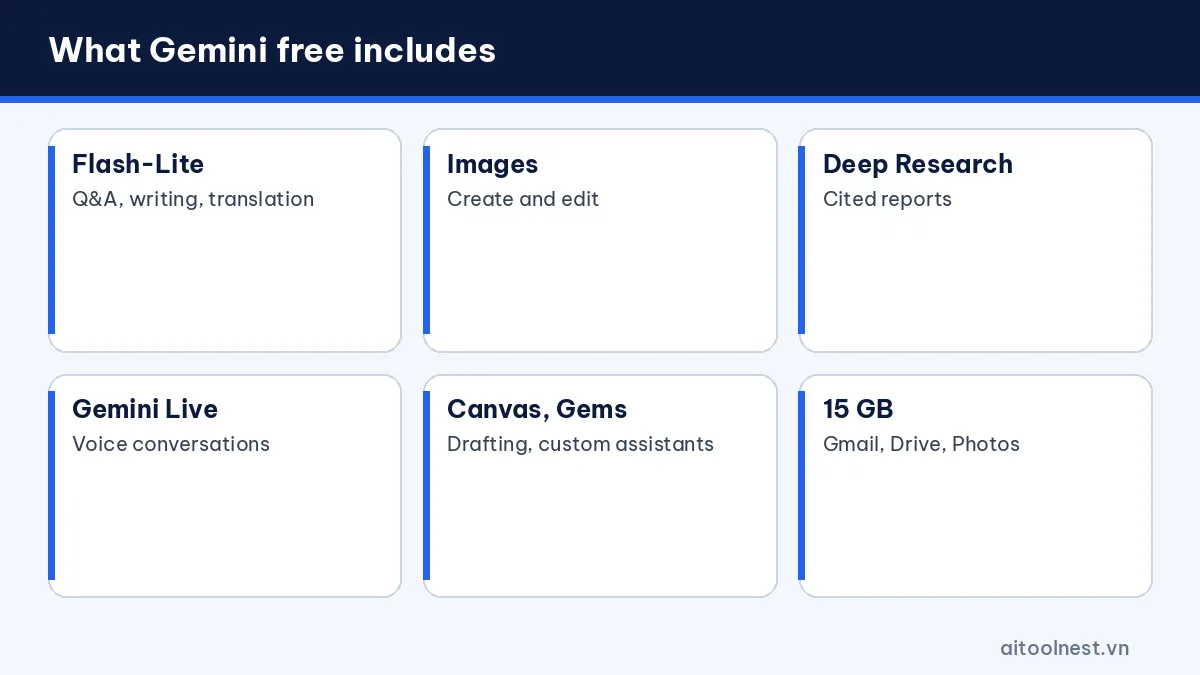
According to Google’s official plans page, a free account gets:
- The Gemini app with the Flash-Lite model: fast answers, good enough for everyday questions, writing, translation and summaries.
- Image generation and editing: describe a picture to create an illustration, or edit a photo you upload.
- Deep Research: Gemini reads many web sources on its own and writes a report with citations.
- Gemini Live: voice conversations, plus camera and screen sharing on mobile.
- Canvas: a workspace for drafting documents and code and editing them directly.
- Gems: custom assistants with saved instructions, such as an “email writer” or an “English tutor”.
- Gemini Notebook: a research and writing assistant grounded in documents you provide.
- Limited Google Flow access: try Google’s AI creative studio for short cinematic scenes.
- 15 GB of storage shared across Gmail, Drive and Photos.
How to start using Gemini for free
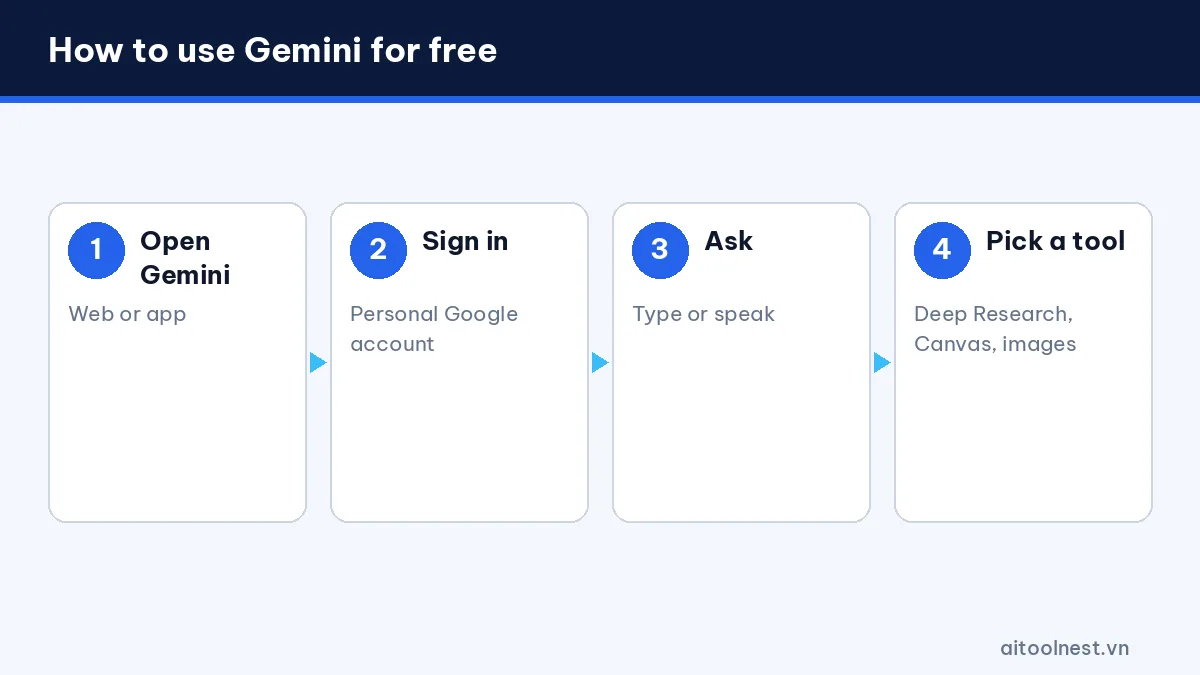
- Open gemini.google.com or download the Gemini app on Android or iPhone.
- Sign in with a personal Google account. Work and school accounts may need an administrator to enable Gemini.
- Type or speak your request, attaching images or files if needed.
- Pick a tool such as Deep Research, Canvas or image generation right from the prompt box.
No credit card is required and there is no trial period: the free plan is free for as long as you use it. You can also use Gemini in Google Search through AI Mode, which is free as well.
Gemini free plan usage limits
Google measures usage by compute: more complex prompts, longer files, longer conversations and heavier features such as Deep Research or image generation use up more of your allowance. Your limit refreshes every 5 hours until you hit your weekly cap. When you run out, Gemini tells you, and you can wait for the next refresh or buy extra AI credits.
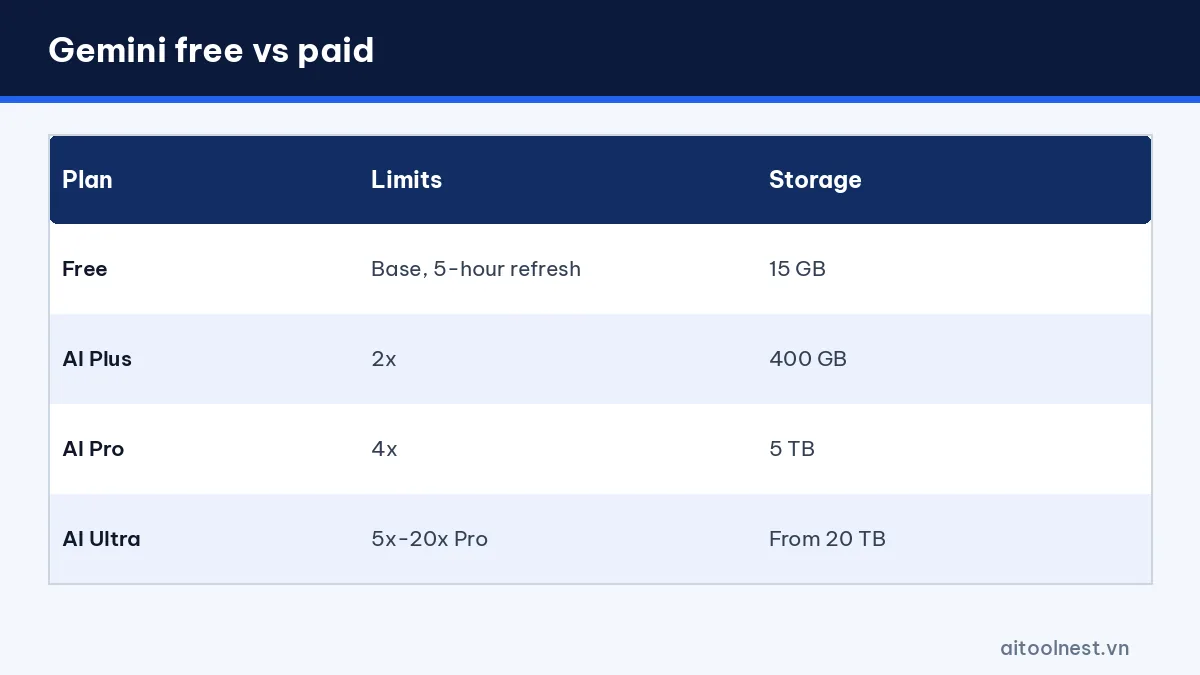
Google AI Plus doubles the free limits, AI Pro gives four times the free limits, and AI Ultra offers the highest limits. If you keep seeing “limit reached” messages, that’s a clear sign to consider upgrading.
Gemini free vs AI Plus, Pro and Ultra
| Plan | Model | Limits | Highlights | Storage |
|---|---|---|---|---|
| Free | Flash-Lite | Base | Images, Deep Research, Live, Canvas, Gems | 15 GB |
| AI Plus | Flash | 2x | Video generation, Gemini in Gmail | 400 GB |
| AI Pro | Pro, Flash | 4x | Gemini in Gmail, Docs, Chrome | 5 TB |
| AI Ultra | Top tier | 5x to 20x Pro | Early access to new features | From 20 TB |
Prices vary by country, so check the plans page while signed in to see the price in your currency. In the US, AI Ultra starts at $99.99 a month. Paid plans are for users aged 18 and over.
Tips to get more from the free plan
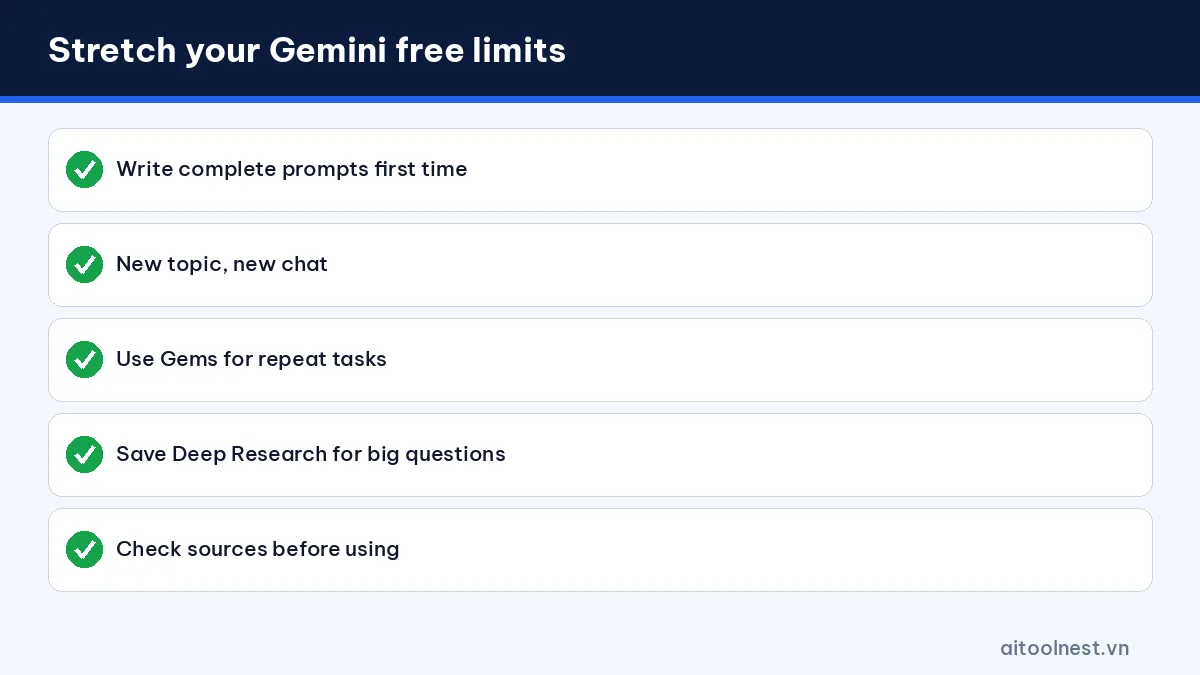
- Write complete prompts the first time: state your goal, context and format so you don’t need many follow-ups. See our guide on how to write AI prompts.
- Start a new chat for each new topic: long conversations use more of your allowance.
- Use Gems for repeat tasks: save your instructions once instead of pasting them every time.
- Save Deep Research for big questions: ask quick questions in a normal chat.
- Verify important facts: open the sources Gemini cites before you rely on them.
- Keep sensitive data out: turn off activity saving if you don’t want chats used to improve the service.
Example prompts for the free plan
- “Summarize this article in 5 key points, one sentence each, plus one discussion question.”
- “Create a watercolor-style illustration of a small coffee shop in Hanoi in the morning.”
- “Make a 30-day English study plan, 20 minutes a day, as a table.”
Using the free plan for study and work
Students: upload a photo of homework for step-by-step explanations, turn notes into practice quizzes and practice speaking with Gemini Live. Use AI to understand the material, not to copy answers.
Office workers: summarize long documents, draft emails, outline reports and translate text. Turn on the Google Workspace connection in the Gemini app to ask about your email and Drive files right in the chat.
Content creators: brainstorm post ideas, generate illustrations and write short video scripts in Canvas. Pair it with Canva AI to lay out finished designs.
Developers: beyond the Gemini app, Google AI Studio offers the Gemini API with a limited free tier for testing models before you pay per use.
Gemini free on your phone
The free plan works the same way in the mobile app, with a few extras that make the phone the best place to use it. On many Android phones, Gemini already replaces Google Assistant: hold the power button or say “Hey Google” to ask a question, set a reminder or describe what’s on your screen. On iPhone, install the Gemini app from the App Store and add it to your home screen or lock screen for quick access.
Gemini Live is where mobile shines. Point your camera at a product label, a math problem or a broken appliance and ask questions out loud. You can also share your screen to get help with an app or a document. Voice chats count toward your limits, so keep sessions focused.
Privacy on the free plan
By default, Google may keep your Gemini activity and use it to improve its services, and human reviewers may read some conversations. You can turn off activity saving, set an auto-delete period or delete chats in your Gemini activity settings. Avoid pasting passwords, ID numbers, health records or confidential work data into any free AI tool.
Gemini vs ChatGPT and Claude free plans
Compared with the free version of ChatGPT, Gemini is generous with Deep Research, Gemini Live and its built-in Google integration. ChatGPT Free is strong at relaxed text chat and has the GPT ecosystem. The free version of Claude stands out for long writing and document reading, but it doesn’t generate images. For a detailed head-to-head, read ChatGPT vs Gemini.
The smartest approach is to use several free plans side by side: Gemini for research and fresh information, ChatGPT for everyday chat and Claude for long writing. You get multiple perspectives and rarely run out of usage.
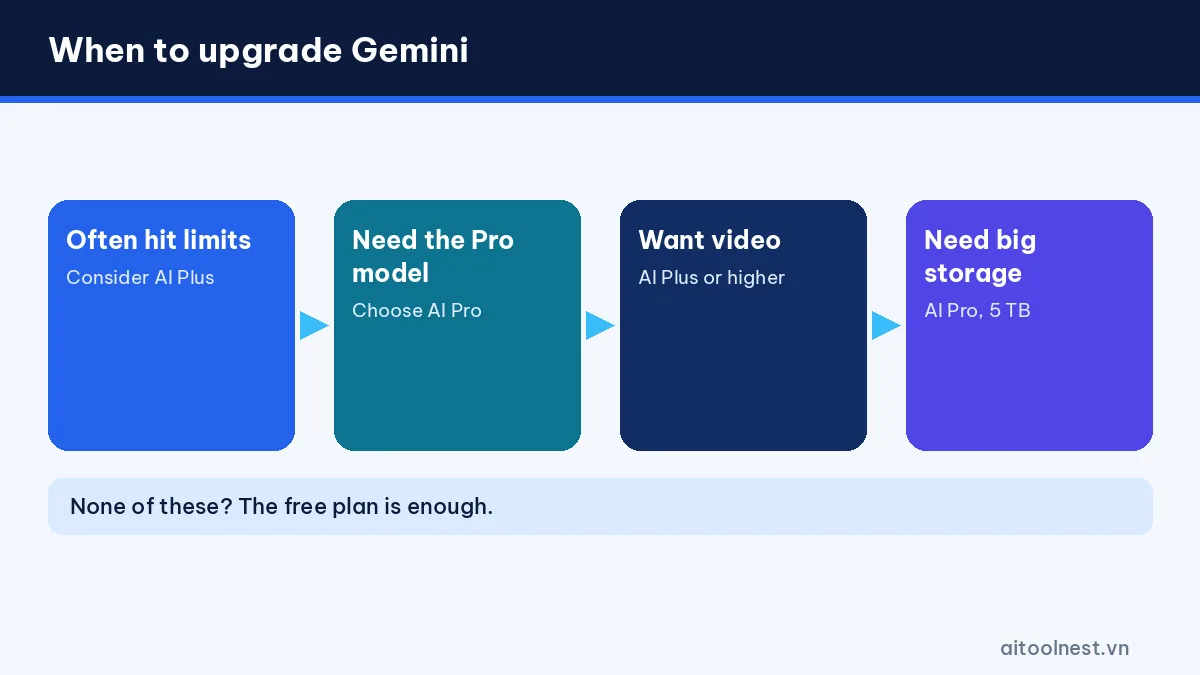
When should you upgrade from the free plan?
- You often hit the limit before finishing your work.
- You need the stronger Pro model for coding, long analysis or complex reasoning.
- You want to generate videos with AI.
- You spend all day in Gmail and Docs and want Gemini built in.
- You need more Google storage for photos and files: a paid plan bundles AI and storage.
If none of these apply, the free plan is enough for studying, office work and basic content creation. Browse our AI tools directory for more free options.
Gemini free plan FAQ
Is Gemini free?
Yes. Anyone with a personal Google account can use Gemini for free with no time limit and no credit card.
Can Gemini free generate images?
Yes. The free plan supports image generation and editing, though it uses more of your allowance than regular chat.
What are the Gemini free plan limits?
Google bases limits on prompt complexity, features used and conversation length. Limits refresh every 5 hours until you reach a weekly cap.
What is the difference between Gemini free and Google AI Pro?
AI Pro adds the stronger Pro model, 4x higher limits, video generation, Gemini in Gmail, Docs and Chrome, and 5 TB of storage.
Does Gemini free include Deep Research?
Yes. Deep Research is included in the free plan and is great for researching a topic and getting a report with cited sources.
Conclusion
Gemini free is one of the most complete free AI assistants available today, with image generation, Deep Research, voice chat, Canvas, Gems and 15 GB of storage. Its main limits are a lighter model and usage that refreshes every 5 hours. Use the free plan until you regularly hit its limits, then consider AI Plus or AI Pro.
