

Using AI at work effectively starts with the result you need, not with whichever tool everyone is talking about. This guide covers 6 steps to bring AI into your daily work safely: identify the task, set criteria, test with sample data, check the terms of use, protect your data and start small. At the end you’ll find a worked example and answers to frequently asked questions.
How to use AI at work: where do you start?
AI can help with many steps in office work, content creation or programming, but not every step is a good fit. The safe approach is to pick tasks that repeat, have clear inputs and produce results you can check. You still make the decisions and remain responsible for the final work; AI just shortens certain steps such as outlining, summarizing or drafting.
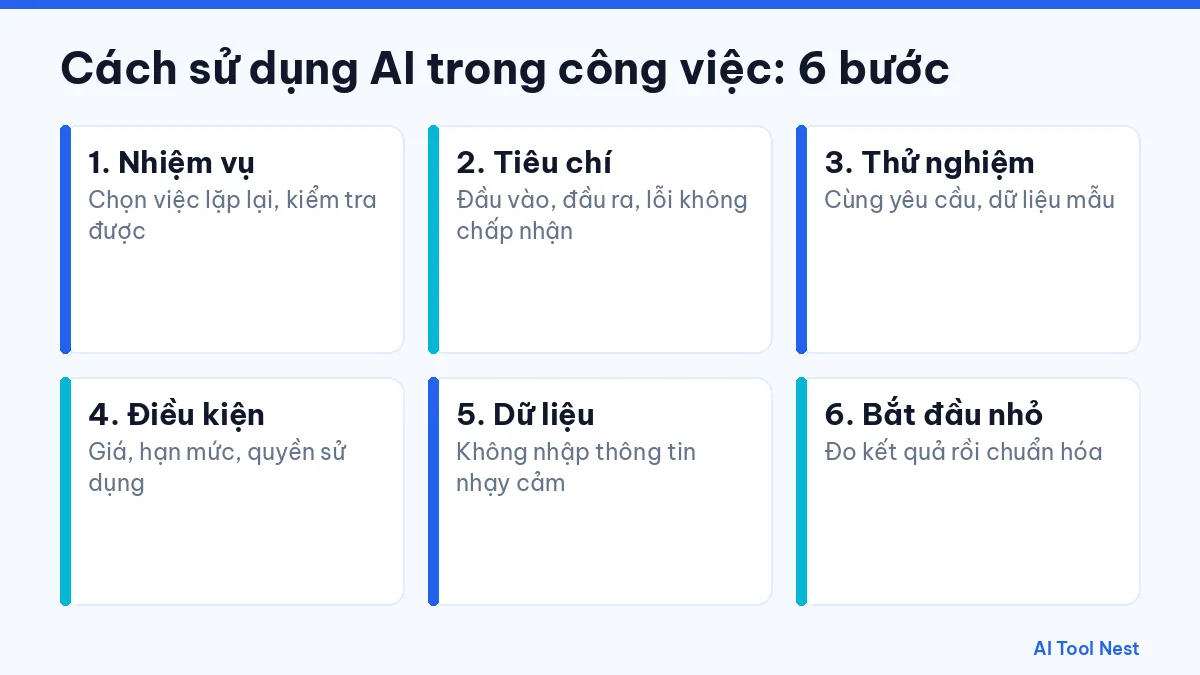
Step 1: Identify the tasks AI can help with
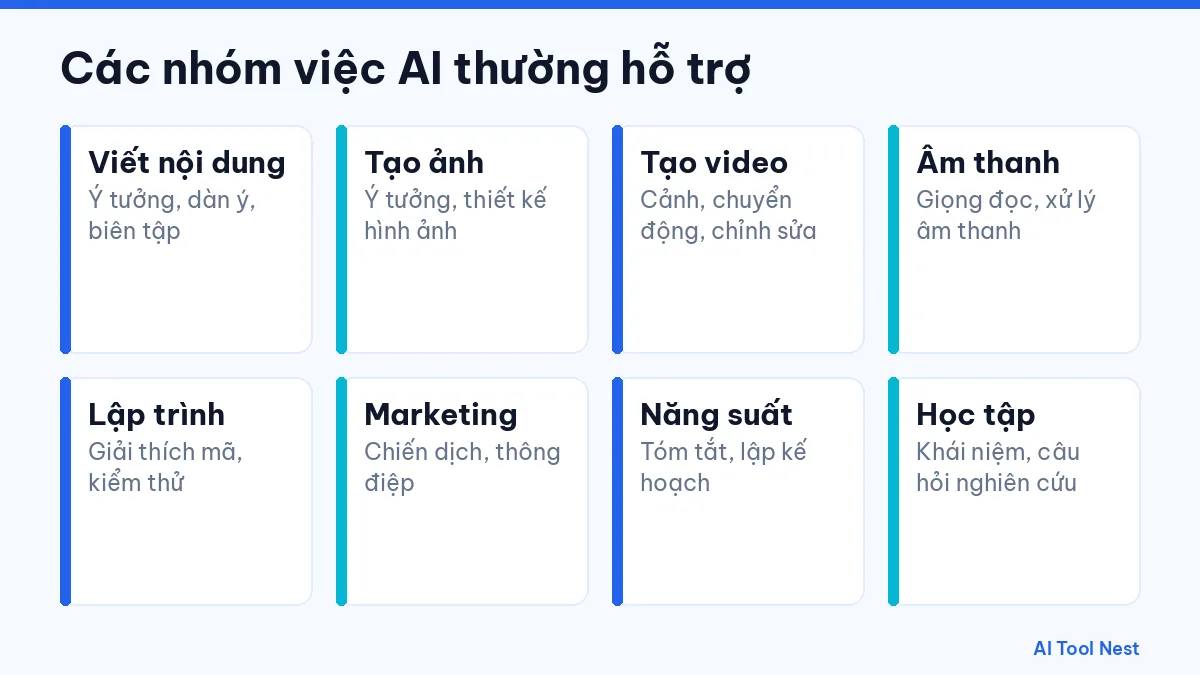
List the tasks you do each week and mark the ones that repeat. Then compare them with the kinds of work AI commonly helps with:
- Writing: brainstorming, outlining and editing. See our AI writing category.
- Images: developing ideas and designing visuals, for example with Canva AI.
- Video: experimenting with scenes, motion and editing, for example with Runway.
- Audio: voiceovers, spoken content and audio editing, for example with ElevenLabs; for Vietnamese narration, see our comparison of the best Vietnamese text-to-speech AI tools.
- Coding: explaining code, finding the cause of bugs and suggesting tests, for example with GitHub Copilot.
- Marketing: campaign ideas, messaging and content plans.
- Productivity: summarizing, organizing information and planning.
- Learning: understanding concepts and building research questions.
Step 2: Set your criteria before you test
Before you open a tool, write down the input, the output you want, the language, the format and any errors that are unacceptable. For example, when summarizing meeting notes: the input is the notes with client names removed, the output is a list of action items with owners, the format is a table and no deadline can be missed. Clear criteria help you judge tools more objectively and write better prompts.
Step 3: Test the same request with sample data
Use sample data with no confidential information and send the same request to a few tools, such as ChatGPT, Claude and Gemini. Compare accuracy, how long it takes you to fix the result and how easy each tool is to use. Don’t judge overall quality from a single answer; run it a few times and note the results. If you’re new to writing requests, first read how to write effective prompts and see our AI tool comparisons.
Step 4: Check the terms of use
Check current pricing, usage limits, rights to generated content and the data policy on the provider’s official website. Don’t decide based on a “free” label alone, because the terms of free and paid plans can change over time. If you’re using AI for your company, ask the team in charge whether your organization already has rules about which AI tools are allowed.
Step 5: Protect your data when using AI
- Never enter passwords, one-time codes, customer information or confidential documents.
- Only log in on the provider’s official domain.
- Read the data policy before uploading documents.
- Remove names, phone numbers and addresses from sample data.
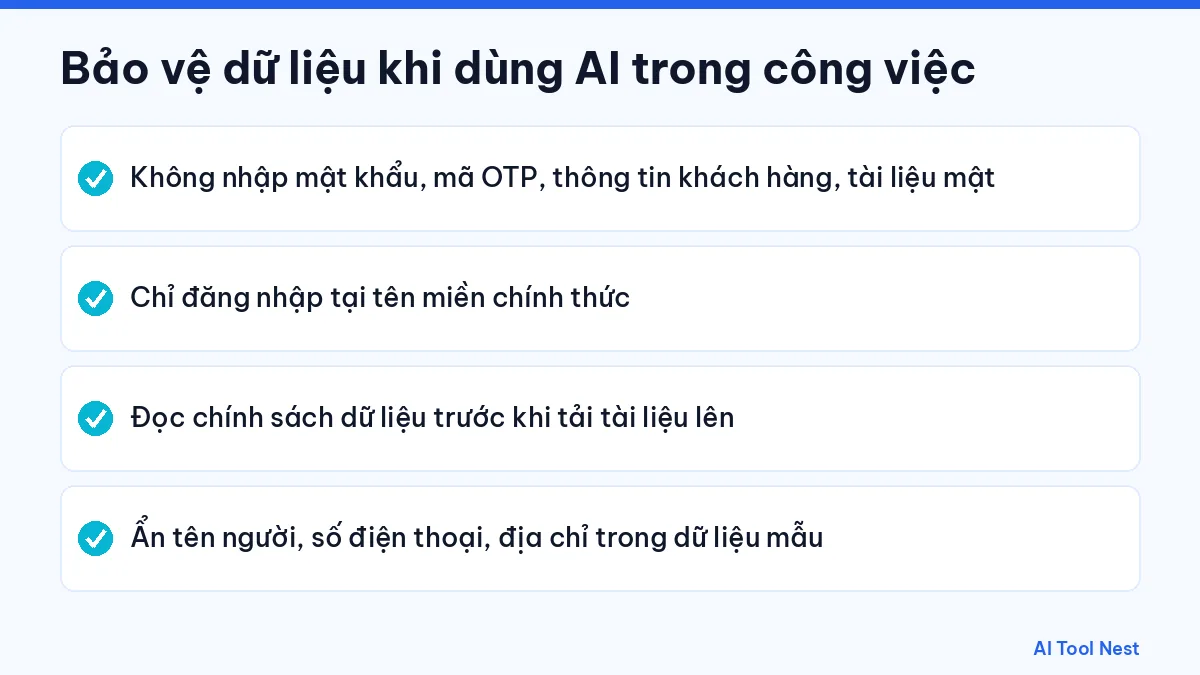
These habits apply to every tool, including ones you’ve used for a long time. See the safety rules in our AI guides for more.
Step 6: Start small and measure results
Pick one recurring task and record how long it takes the old way, then do the same task with AI support for a few weeks. Compare the time spent, the number of errors and how satisfied the people receiving the work are. If the benefit is clear, turn it into a standard process: save the prompt, note the checking steps and share it with colleagues. If it isn’t working, adjust the prompt or try a different tool instead of forcing AI into every task.
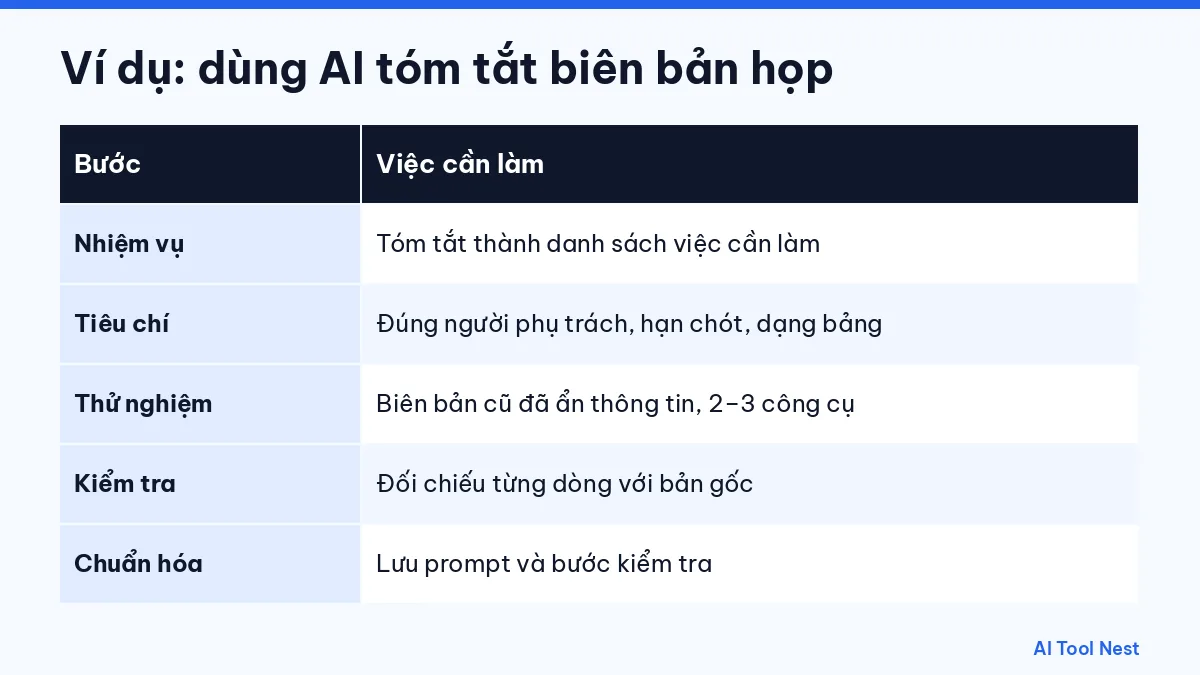
Example: applying AI to a daily task
| Step | Task: summarizing weekly meeting notes |
|---|---|
| Task | Summarize the notes into a list of action items |
| Criteria | Every action item, with the right owner and deadline, in a table |
| Testing | Use old notes with details removed and try 2–3 tools |
| Checking | Compare every line against the original notes |
| Standardizing | Save the prompt and checking steps to reuse in later weeks |
For example, if your task is tracking the latest news and trends, an assistant with real-time search such as Grok may fit better; run the same request through two or three tools before you decide.
Comparison table: choosing an AI tool by type of work
The table below suggests a starting point for common kinds of work. It is not a ranking; apply the six steps above to verify each tool with your own data.
| Type of work | Tools to try first | First task to test | What to check |
|---|---|---|---|
| Writing, summaries, office work | ChatGPT, Claude, Gemini | Turn meeting notes into action items | Figures, names, deadlines |
| Images and social posts | Canva AI | Create three cover image options for an article | Brand colors, text on images |
| Short video | Runway | Generate a 5-second opening shot for a product video | Motion quality, footage rights |
| Voice and audio | ElevenLabs | Record a one-minute narration | Pronunciation of names and numbers |
| Coding | GitHub Copilot | Write unit tests for an existing function | Tests pass, code security |
Tip: note the tool, plan and test date next to each result. After two or three weeks you will have real data to decide which tool is worth paying for.
Frequently asked questions
Can people who aren’t tech-savvy use AI at work?
Yes. Start with a chat-based assistant and a simple task such as outlining an email or summarizing a document, then expand once you’re comfortable.
Should I use one tool or several?
It depends on your needs. A general-purpose assistant can cover many office tasks, while specialized work such as design, video or coding may need dedicated tools. Browse our AI tool directory by type of work.
Will AI replace my job?
AI helps with some steps, but you still need to understand the work, check the results, make decisions and take responsibility for the final product.
How do I know whether AI output is correct?
Check figures, names, dates and quotes against the original sources. For important content, ask a qualified person to review it.
Which task should I start using AI for?
Pick a weekly task with clear inputs that is easy to check, such as summarizing meeting notes, outlining emails or writing product descriptions.
Do I need to pay to use AI at work?
Not necessarily. Many tools have free plans that are enough for testing. Upgrade only once you have measured a real benefit and need more limits or features.
Conclusion
The most effective way to use AI at work is step by step: identify the task, set criteria, test with sample data, check the terms of use, protect your data and start small. Once you have a stable process, you can expand to other tasks. Explore more AI prompt templates and our productivity articles.

Pingback: How to Write AI Prompts: 6 Steps to Better Results
Pingback: How to Use ChatGPT: A Beginner's Guide (2026)
Pingback: Best Vietnamese Text-to-Speech AI Tools in 2026 (Compared)