
Writing effective AI prompts doesn’t require complicated tricks. A good prompt simply helps the AI understand what you are doing, what result you need and how that result will be checked. This article walks through a 6-step process you can use right away with ChatGPT, Claude, Gemini or any other AI assistant, with a before-and-after example, common mistakes and answers to frequently asked questions.
What is a prompt, and why does clarity matter?
A prompt is the instruction or request you send to an AI tool. The AI doesn’t know the context of your work unless you tell it, so a short request like “write an article about AI” usually produces something generic that needs heavy editing. When your prompt spells out the context, task, constraints and format, you get a draft that is closer to what you need and easier to check. The major providers also publish official prompting guides, such as OpenAI’s guide and Anthropic’s guide, which are worth reading if you want to go deeper.
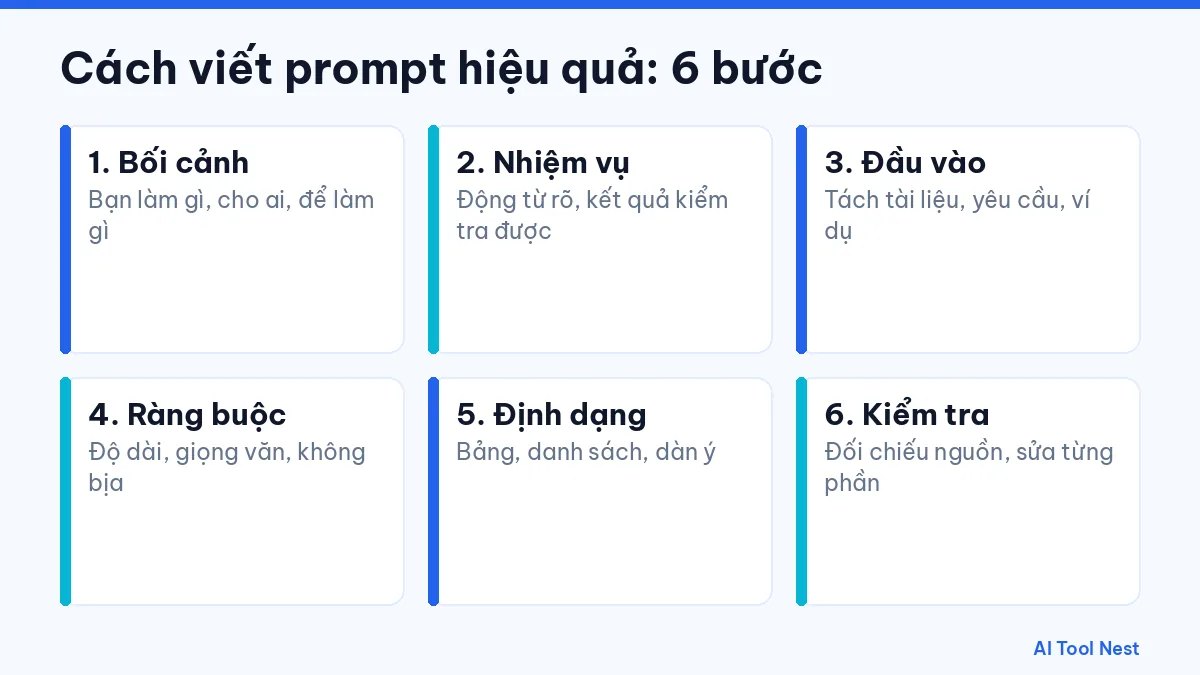
How to write effective prompts in 6 steps
1. Give context
Say what you are working on, who the content is for and how it will be used. For example: “I work in customer support and need to reply to a complaint email about a late delivery.” Only include what the task needs; there is no need to explain the whole history of the project.
2. Assign a specific task
Use a clear verb and describe a result that can be checked. Instead of “make this better,” write “shorten the paragraph below to about 120 words, keep the three main points and use a neutral tone.” If you have several jobs, split them across several turns rather than packing them into one long prompt.
3. Structure your input
Make it clear which part is reference material, which part is the request and which part is an example. You can use labels such as “Material:”, “Request:” and “Example of what I want:”, or put text inside quotation marks. Before sending, remove passwords, one-time codes, personal information and customer data.
4. Set constraints
Specify the length, language, tone, what to avoid and that nothing should be made up. A line like “if you are not sure, say so clearly” helps you spot the parts that need fact-checking.
5. Choose the output format
Ask for a table, a list, an H2/H3 outline, an email or plain paragraphs depending on your goal. If you already have a sample you like, include a short example so the AI follows that structure and tone.
6. Review and refine
Read the result as a draft. Check figures, names, dates and quotes against the original sources. When something is wrong, point to the exact passage that needs fixing and explain why, rather than asking for a full rewrite. Legal, medical or financial information should be reviewed by a qualified professional.
A prompt before and after editing
Here is an example that applies all 6 steps. Replace the parts in square brackets with your real details.
| Original prompt | Improved prompt |
|---|---|
| Write an article about AI for beginners. | I write a blog for people who are new to AI (context). Create an outline for an article of about 800 words on [topic] (task). The outline should have 5 main sections, each with an easy-to-understand example (format). Don’t make up figures or quotes; list any claims that need checking separately (constraints). |
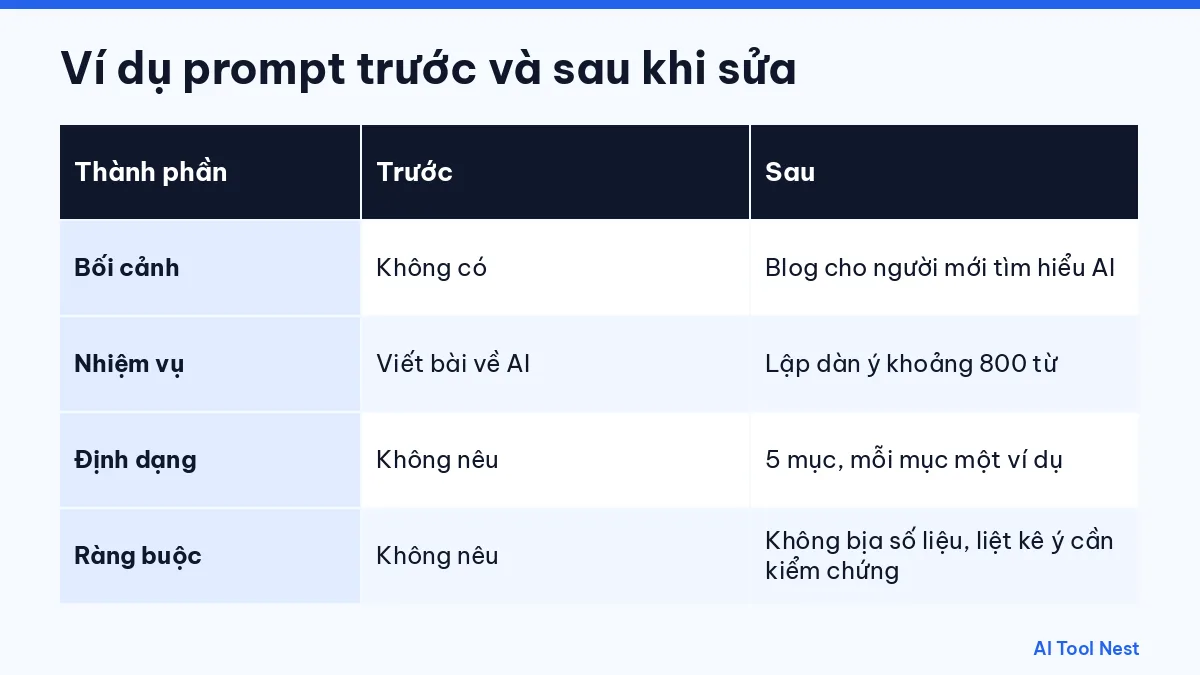
The improved prompt is longer, but the result usually needs fewer rounds of editing because the AI knows the audience, length and structure you want. Find more templates like this in our AI prompt library.
An easy-to-remember prompt formula
When you need to write a prompt quickly, use this formula and drop the parts you don’t need:
You are [role]. Context: [who you are, who it’s for, why you need it]. Task: [one main job]. Constraints: [length, tone, what to avoid]. Format: [table, list, outline]. At the end of your answer, list your assumptions and anything you are unsure about.
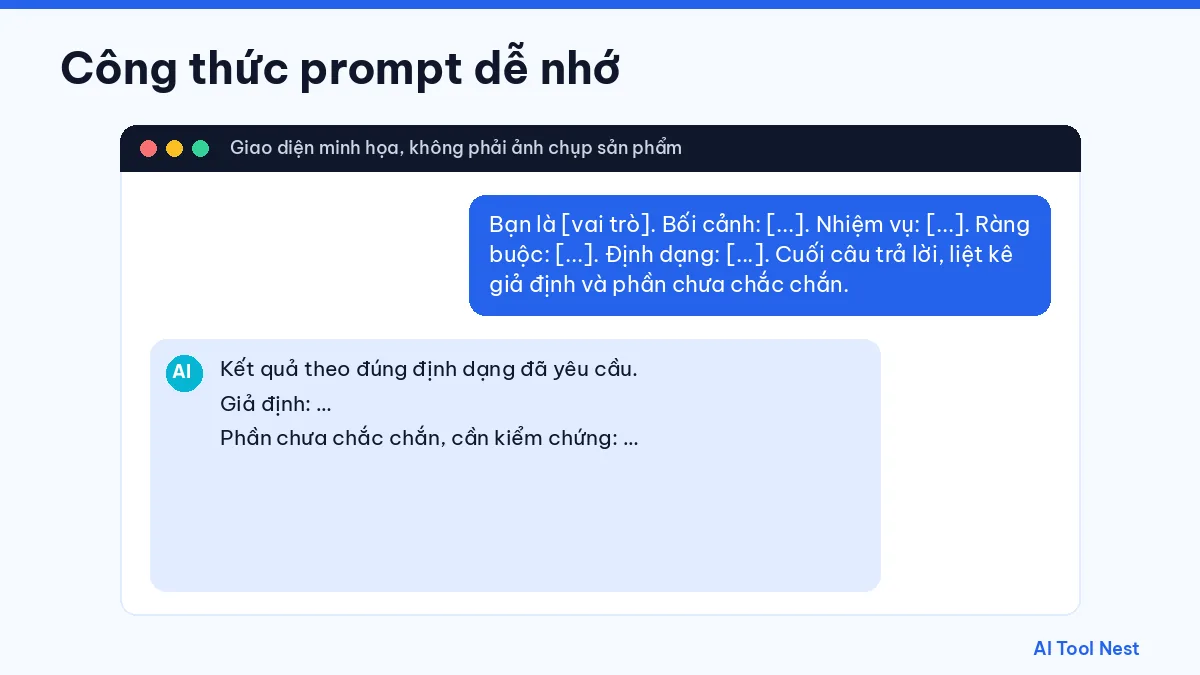
This formula works for many jobs: writing emails, summarizing documents, brainstorming content, explaining concepts or reviewing code. The key is to always finish with a checking step.
Common prompt-writing mistakes
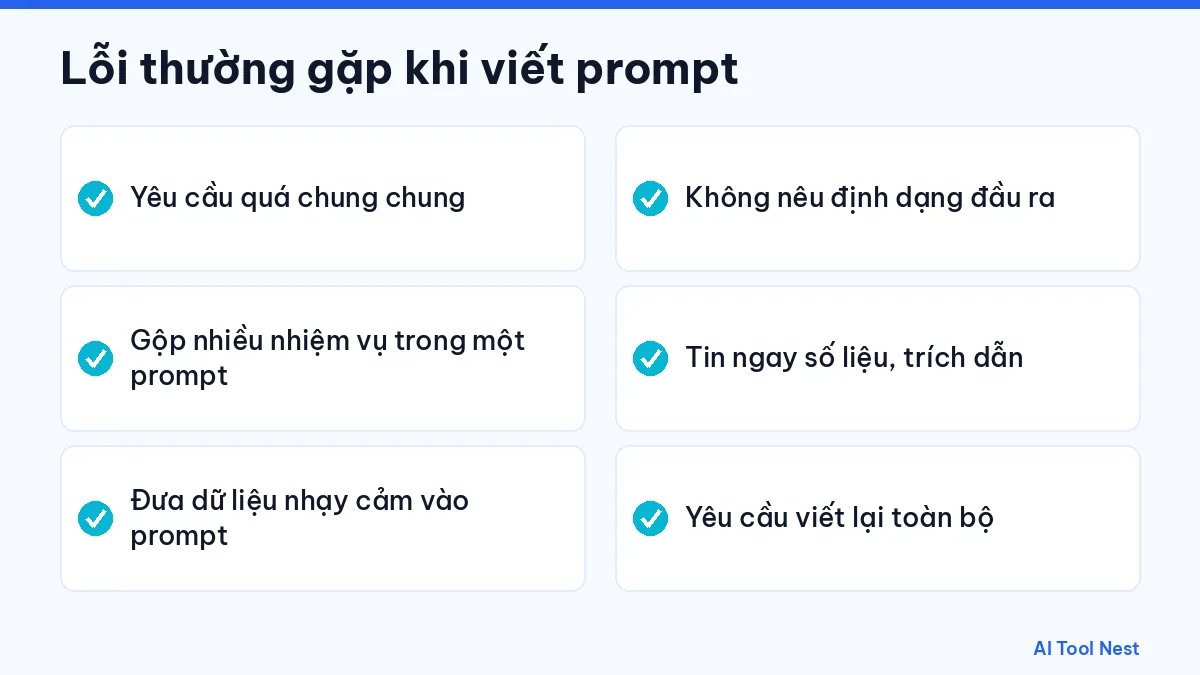
- Requests that are too vague and don’t mention the audience or purpose.
- Packing too many tasks into one prompt, so the result wanders.
- Putting sensitive data such as passwords, one-time codes or customer information into a prompt.
- Not specifying a format, so you have to reorganize the result yourself.
- Trusting figures, names or quotes without checking the source.
- Asking for a full rewrite instead of pointing to the part that needs fixing.
Improving a prompt after the first try
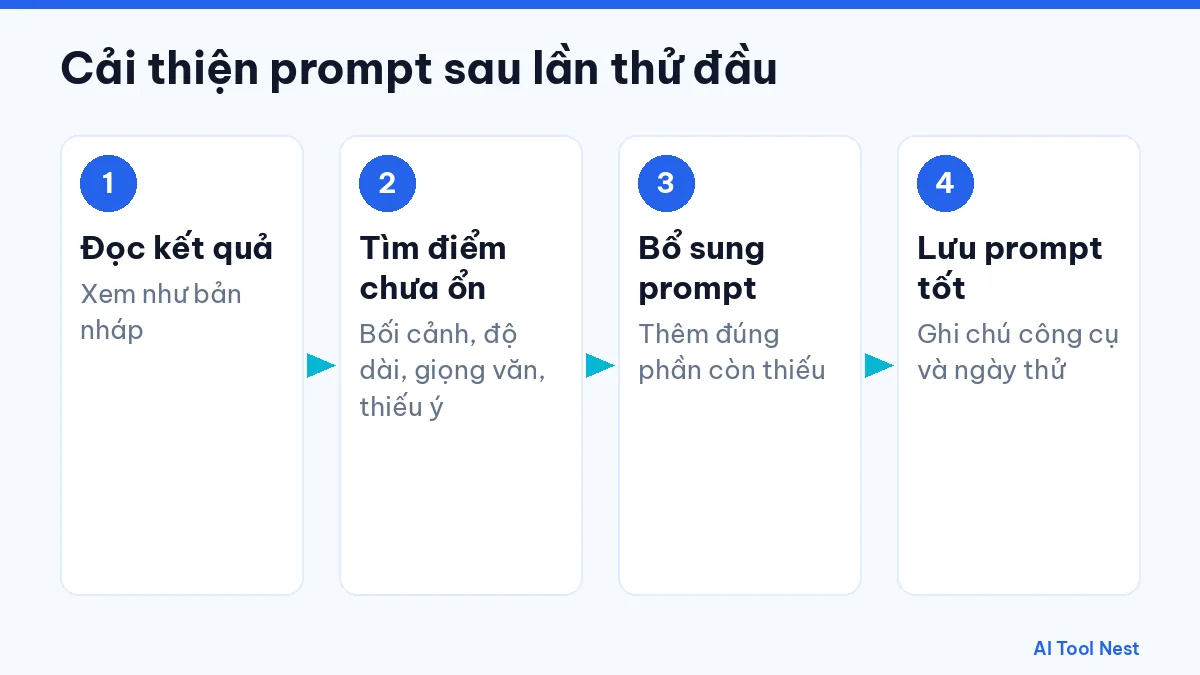
The first prompt rarely gives a perfect result. Treat it as an iterative process: read the output, pin down what isn’t working (wrong context, wrong length, wrong tone or missing points) and add exactly that to your prompt. For complex tasks, ask for an outline first, approve it, then write each section. Once a prompt works well, save it with a note of the tool and the date you tried it so you can reuse it. If you are deciding which tool to use, read our guide on how to use AI at work and our AI tool comparison page.
Comparison table: the same prompt across AI tools
The same prompt formula works across many kinds of tools, but the context and format need adjusting for each. Here are concrete examples:
| Tool | Example of an effective prompt | What to spell out |
|---|---|---|
| ChatGPT, Claude, Gemini | “You are an HR manager. Write an email inviting 20 employees to an AI training session on November 15, friendly tone, under 150 words.” | Role, audience, length, tone |
| Runway | “Close-up of an iced coffee on a wooden table, early morning sun, slow camera push-in, 5 seconds.” | Subject, setting, lighting, camera movement |
| ElevenLabs | A script with numbers spelled out, short sentences and a note asking for a warm voice at medium pace. | How to read numbers, names, pacing |
| GitHub Copilot | “Write a Python function that validates an email address, with 5 edge-case unit tests, no external libraries.” | Language, constraints, how to test |
Prompts for voice tools also depend on the language; if you work in Vietnamese, our guide to Vietnamese text-to-speech AI tools shows how script formatting changes the result.
Frequently asked questions
Are long prompts better than short ones?
Not necessarily. A good prompt has enough context and criteria for the AI to understand the task. A short but clear prompt can work better than a long, rambling one.
Can I write prompts in languages other than English?
Yes. Test the output on a real task, paying special attention to technical terms, and adjust as needed.
Does the same prompt give the same result in every tool?
No. Each tool, and each generation, can give a different result. If you want to compare, use the same prompt, run it a few times and note the date and the plan you used.
What should I do when the AI gets it wrong?
Point to the exact passage that is wrong, give it the correct facts and ask it to fix only that part. For important information, always verify against the original source rather than relying on the AI’s answer alone.
Can I reuse prompt templates?
Yes. Save prompts that work as templates and swap only the context and input data each time. Our AI prompt library has ready-made templates.
Are prompts for image and video AI different?
Yes. For images and video, describe the subject, setting, lighting, camera angle and style instead of assigning a task as you would with a chatbot.
Conclusion
Writing effective prompts comes down to 6 steps: give context, assign a specific task, structure your input, set constraints, choose a format and review the result. Start with a small task you do every day, save the prompts that work and keep exploring our AI guides and the AI tool directory on AI Tool Nest.

Pingback: How to Use AI at Work: Choose the Right Tool in 6 Steps